
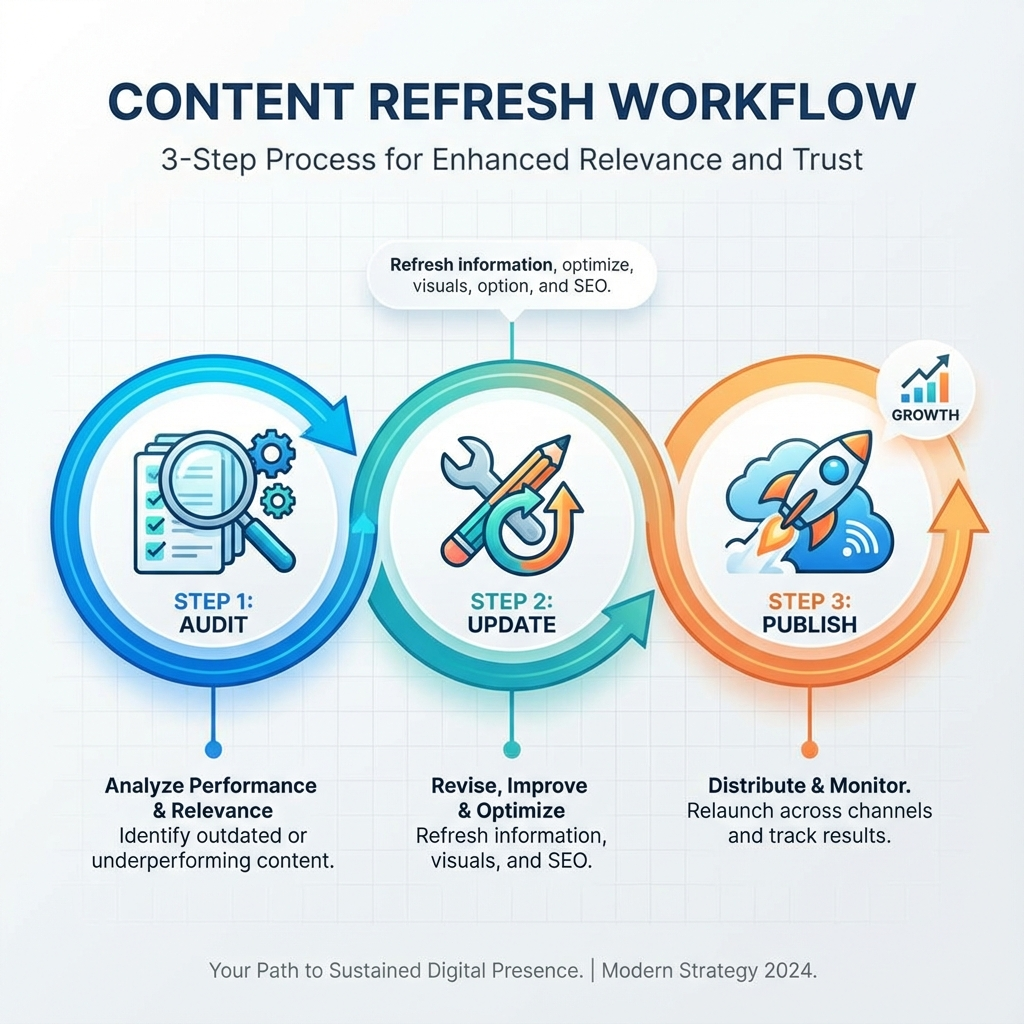
Refreshing old content is one of the highest-ROI moves you can make when you run a blog. Instead of constantly writing net-new posts, a smart refresh plan squeezes more traffic, leads, and authority from pages you already own. In this guide you’ll get a practical, repeatable content refresh strategy that works for small blogs, SaaS startups, and agency clients.

Why refresh content first, instead of only creating new posts
Here’s the thing, many teams still equate progress with publishing new posts every week. That’s noble, but inefficient. Updating existing pages can recover lost rankings, capture new SERP features, and convert better because those pages already have backlinks and user signals.
HubSpot found that the vast majority of their blog traffic and leads came from older posts, which is exactly why they built a formal historical optimization program. If you want proof this works, check out the HubSpot case described in this HubSpot post and the tactics recommended by SEO practitioners like Ahrefs. HubSpot, Ahrefs.
Quick checklist: When to refresh a page
- Pages with steady or declining organic traffic but strong backlinks
- Posts ranking on page 2 or late page 1 for relevant keywords
- Articles with outdated statistics, product info, or processes
- High-converting pages that could convert better with updated CTAs
A repeatable 6-step content refresh strategy
1) Audit and prioritize
Use Google Search Console, Google Analytics, and any SEO tool you have to find pages with a combination of: organic impressions but falling clicks, low CTR on page 1, or page 2 rankings. Prioritize by traffic upside and update effort.
Practical tip: target pages that already attract impressions, and that need moderate work. Those are low-lift, high-impact wins.
2) Define the goal for each update
Is the update meant to regain rankings, increase conversions, or capture AI-overview results? Define the target metric before editing, so you can measure success.
3) Research top competitors and topic gaps
Scan the current SERP, note new subtopics or formats (lists, product comparisons, tables), and list missing sections. Use competitor headings and People Also Ask questions to find gaps.
4) Update content comprehensively
Don’t change the date and call it a day. Update headlines for clarity, add or remove sections, refresh statistics, optimize for new related keywords, and add internal links. For bigger wins, add new data, visuals, and examples that show firsthand experience.
5) Technical and UX polish
Improve page speed, add structured data if appropriate, fix broken links, ensure mobile layout is clean, and add a strong, contextual CTA. Small UX fixes often compound the content changes.
6) Republish, redistribute, and measure
Republish or push the updated page live, then re-share on social, newsletter, and partner channels. Track performance for 4 to 12 weeks depending on the keyword competitiveness, and iterate.

Internal linking and cluster plays
When you update a page, check for opportunities to link from related cornerstone posts. Internal links distribute authority and help search engines understand topical clusters. If you need automation for internal linking and publishing, see the pricing and plans that support automated article publication on the site. For teams seeking automated publishing and keyword planning, compare options on the pricing page and platform overview.
- For a quick automation option, explore automated publishing or scheduling on your platform's settings or your CMS integration. See ContentBeast pricing and automation details at ContentBeast Pricing.
- Want to understand the system end-to-end? Visit the home overview for how the automation works at ContentBeast Home.
- For legal and publishing policies, keep a copy of your terms and privacy pages handy when republishing major updates: Terms and Privacy.
Low-effort, high-impact update ideas
- Add a short FAQ section addressing new user questions
- Update stats and timestamp with the month/year you revised the content
- Convert a long paragraph into a simple table or checklist
- Add an internal link to a newer, related article
- Improve on-page CTA text and placement
Measuring success and KPIs to track
- Organic clicks and impressions from Search Console
- Rankings for primary and related keywords
- Time on page and bounce rate improvements
- Conversion rate changes from updated CTAs
- New backlinks acquired after republishing
Ahrefs explored republishing and found many examples where comprehensive updates produced significant uplifts in traffic. See practical examples and methods at Ahrefs for republishing content and recovering traffic. Ahrefs Republish Guide.
Common objections and how to answer them
- "Updating feels like cheating, we should write new content." Here’s the truth, refreshing content maximizes the value of existing assets, and is a proven, efficient way to grow traffic and leads.
- "Our team lacks time." Prioritize 1 to 3 pages per week and aim for compound gains. Small, consistent updates beat sporadic overhauls.
- "Won’t Google penalize republished posts?" No, not if the changes improve user value and you clearly track what changed. Document updates in your editorial logs.
FAQs
How often should I refresh content?
Aim to audit your top pages quarterly. For high-value evergreen pages, plan a lighter refresh every 6 months and a deeper overhaul annually.
Which pages give the biggest ROI when refreshed?
Pages with existing impressions, backlinks, and a recent traffic dip. Also prioritize pages showing conversion potential but poor UX.
Should I republish with a new date or keep the original publish date?
Either can work. If you significantly rewrite and republish, updating the date helps users. If you keep the original date, note the revision date near the top to be transparent.
How do I track whether a refresh caused improvements?
Create an A/B testing mindset. Track baseline metrics for 4 weeks before changes, then measure the same KPIs for 4 to 12 weeks after the update.
What are quick wins for low-resources teams?
Fix broken links, update stats, add an FAQ, improve CTAs, and add one new internal link from a relevant high-traffic post.
Can I automate parts of the content refresh process?
Yes, tools can automate keyword monitoring, internal link suggestions, and even draft updates. If you want automation that publishes and schedules updates, explore platforms that connect directly to your CMS and support automated publishing.
How do updates affect AI search overviews and chat answers?
AI overviews and chat-based search tools re-evaluate content frequently. Updating your content to include clear, concise answers and structured data increases the chance your content gets surfaced in AI summaries.
Get started with a simple 30-day plan
Week 1: Audit and pick 3 priority pages. Week 2: Close topic gaps and update content. Week 3: Polish UX and metadata, add internal links. Week 4: Republish and promote, then measure.
Ready to scale refreshes and free up time?
If you want to automate keyword research, internal linking, and publishing while keeping editorial control, consider a managed automation platform that connects to your CMS and runs weekly audits. Learn more about automation and plans at ContentBeast Pricing, or review platform features on the homepage at ContentBeast.
Conclusion
A focused content refresh strategy turns your existing blog into a growth engine. You don’t need to publish more to win more, you need to update smarter. Start with a tight audit, prioritize pages with clear upside, and measure every change. Over time, small updates compound into major traffic and conversion gains.
Get started today
If you want to automate the heavy lifting, test a platform that does keyword planning, drafts optimized updates, and publishes on your schedule. Visit https://ContentBeast.com to try an automated workflow that publishes optimized articles and handles internal links and images for you.