

Keeping an old blog post alive can be more profitable than publishing something new. If you already have pages with impressions, backlinks, or steady rankings, you’re sitting on a faster path to organic growth than starting from zero.
That’s why a smart content refresh strategy matters. Instead of chasing endless new posts, you update what’s already working, fix what’s stale, and give search engines a reason to care again.
Why Old Blog Posts Deserve Attention
Older content often has hidden value. It may already rank for low-competition terms, attract links, or show up in AI-generated answers. The problem is that it can slowly decay if the facts, examples, or internal links are outdated.
A refresh lets you keep the URL, keep the authority, and improve relevance. For small teams, that’s a practical win because it usually takes less time than writing from scratch.
What to Refresh First
Not every post deserves the same level of effort. Start with pages that already have signs of life.
Look for these signals
- Pages with impressions but weak click-through rate
- Posts ranking on page 2 or the bottom of page 1
- Articles with steady traffic but declining visits
- Content that has outdated screenshots, stats, or product details
- Posts that can support a better internal linking structure
If you want quick upside, prioritize pages closest to growth. That’s where a content refresh strategy usually pays off fastest.
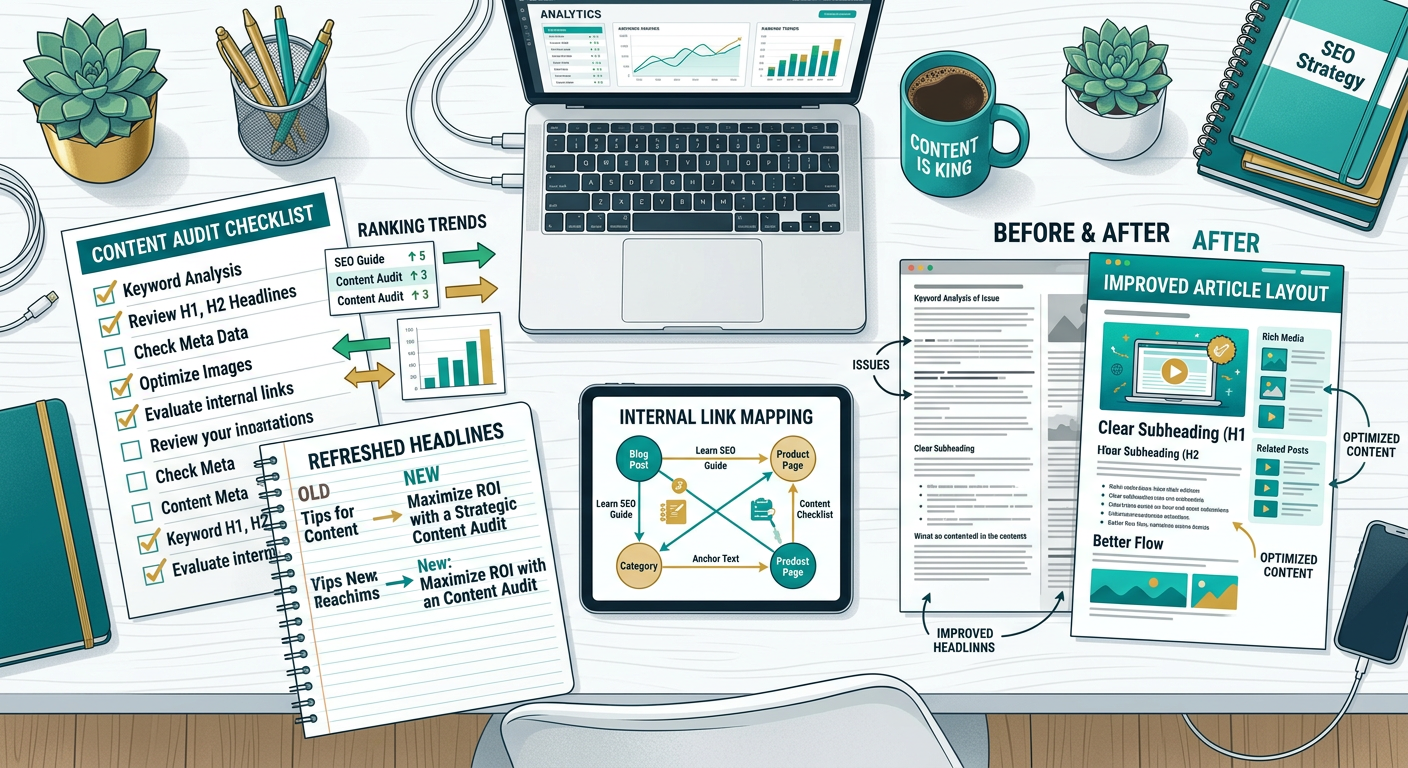
The Best Content Refresh Strategy for Fast Wins
Here’s the thing, most refreshes fail because people only change a few words. Real improvement comes from making the page more useful, more current, and easier to discover.
1. Update the facts and examples
Replace old dates, dead tools, broken screenshots, and outdated advice. If your article references stats, swap in recent data from trusted sources like Google Search Central or relevant industry research.
2. Improve the search intent match
Ask whether the post still answers the question a reader actually has today. Sometimes the original title was fine, but the content needs more depth, better structure, or a clearer angle.
3. Strengthen the intro and headings
Search engines and readers both scan fast. Make the opening more direct, use clearer H2s, and break up large walls of text so the post feels easier to consume.
4. Add internal links
Internal links are one of the simplest fixes with immediate impact. Link the refreshed post to relevant service pages, related guides, and newer articles so authority flows through your site.
5. Add a fresh CTA
Old posts often lack a clear next step. Add an action that fits the topic, whether that’s downloading a checklist, reading another guide, or visiting your product page.
A Simple Refresh Workflow
You do not need a giant process to get results. A lightweight system is enough.
Step 1: Audit the post
Check traffic, rankings, backlinks, and engagement. Then identify what is outdated, thin, or missing.
Step 2: Rewrite the weak sections
Focus on the intro, headings, examples, and conclusion first. These are usually the fastest places to improve clarity and relevance.
Step 3: Add supporting depth
Include FAQs, a short comparison, a checklist, or a new section that answers related questions. This helps the page cover more search intent without becoming bloated.
Step 4: Optimize for distribution
Turn the refreshed post into social snippets, newsletter blurbs, or sales-team talking points. One refresh can fuel several channels.
Where AI Can Help Without Overcomplicating It
AI can speed up the boring parts of refreshing content. It can suggest headline variants, summarize sections, surface missing subtopics, and help rewrite outdated passages faster.
Used well, AI is not replacing strategy. It’s reducing friction. That makes it easier for small teams to refresh more pages without adding headcount.
Metrics That Tell You the Refresh Worked
Don’t measure success only by traffic on day one. Some updates take time to settle.
Watch for:
- Higher rankings for target keywords
- Better click-through rates from search results
- More time on page
- More internal page views
- More leads, signups, or product clicks from the post
If the page was already indexed and relevant, even small changes can create meaningful gains.
Common Mistakes to Avoid
A refresh can backfire if you treat it like a cosmetic edit.
Avoid these errors
- Changing too much at once without a plan
- Removing the original topic relevance
- Overstuffing keywords into the rewrite
- Forgetting to update internal links
- Replacing useful content with fluff
The goal is not just to make the article longer. The goal is to make it better for the person searching now.
FAQ
How often should I refresh old blog posts?
A good rule is every 6 to 12 months for high-value pages, especially if the topic changes quickly. Evergreen content can be checked less often, but it should still be reviewed regularly.
Should I update the publish date?
Only if the page has been meaningfully updated. If you made real improvements, updating the date can help signal freshness. If nothing substantial changed, leave it alone.
Is refreshing better than publishing new posts?
Usually both matter, but refreshing old posts can be faster and cheaper for near-term wins. If your site already has content with traction, updates often deliver a better return than starting over.
What kind of posts should I refresh first?
Start with posts that already get impressions, rank near the top of page 2, or have backlinks. Those pages are closest to producing measurable gains.
Can a refresh help with AI search visibility?
Yes. Clear structure, current information, and stronger topical coverage can make content easier for AI systems and search engines to understand and reuse.
How long does it take to see results?
Sometimes a few weeks, sometimes longer. It depends on the competition, crawl frequency, and how substantial the update was.
Build a Repeatable Content Refresh System
The easiest way to grow with limited resources is to make refreshing part of your weekly workflow. Pick a few posts, update them deeply, strengthen internal links, and track results.
Over time, this creates a compounding effect. Instead of letting old posts fade away, you turn them into assets that keep earning traffic, clicks, and leads.
Grow Faster With Smarter Content Updates
If you want more traffic without constantly publishing from scratch, start with the content you already own. A focused content refresh strategy can unlock faster wins, improve SEO efficiency, and make your blog far more valuable.
If you want help turning older posts into traffic drivers, explore more practical growth ideas at https://ContentBeast.com. Small updates can create big momentum when you apply them consistently.