

Effective internal linking can lift traffic without a huge content budget. Use the structure of your site to signal priority pages, guide visitors, and move link equity where it matters most. In this article you will get a practical, step-by-step internal linking playbook for quick wins you can implement today.
Here’s the thing, a focused internal linking strategy for quick SEO wins is less about adding dozens of links and more about smart, contextual connections. Follow these tactics to revive old posts, push priority pages, and improve crawlability fast.
Why internal links give fast SEO wins
Internal links are one of the highest-leverage, low-effort SEO tactics you can use. They help search engines discover new pages, pass page authority to priority content, and improve user journeys that increase engagement metrics. Google’s documentation reminds site owners to make links crawlable and to use descriptive anchor text, so implement links that help both users and crawlers.
Practical result you can expect quickly: updated internal links often help new or refreshed pages get indexed faster and can move pages several positions in search results within weeks, not months.
Quick audit: find the low-hanging fruit (15-45 minutes)
1. Identify pages that already rank or convert
- Export your top 200 pages by traffic or conversion from Google Analytics or your CMS.
- Prioritize pages that are near page 1 for valuable keywords, or pages that drive sales or signups.
2. Find broken or thin-linked pages
- Use a crawl tool or your site search to find pages with few or no internal links. These are isolated assets ready for authority.
- Fix broken internal links and update redirects so link equity flows properly.
The 6-step internal linking playbook for quick wins
Step 1, map pillar pages and topic clusters
Create or identify 3 to 5 pillar pages that represent your primary themes. Link related posts to these pillars and link back. That builds topical authority and makes your site easier for search engines to understand.
Step 2, add 3 to 7 contextual links from relevant posts
When you update or publish a post, add a few contextual links to pillar or money pages. Keep anchor text descriptive and natural. Avoid repetitive exact-match anchors; vary phrasing for readability.
Step 3, update older posts when new content goes live
Go back to relevant legacy posts and add 1 to 3 links to new pages. This revives old content and helps new pages get index signals and authority fast.
Step 4, prioritize high-authority pages as link sources
Pages that already rank or have strong backlinks are powerful internal link sources. Add links from these pages to the content you want to boost.
Step 5, place the most important links early
Links placed closer to the top of the content often carry more weight. Add at least one contextual link in the first two paragraphs when it makes sense for the reader.
Step 6, monitor and iterate weekly
Track impressions and rankings for pages you linked to. If a page doesn’t improve after several weeks, try new anchor text, different source pages, or add more contextual links.
Practical anchor text and placement rules
- Use descriptive anchors that match user intent, not generic phrases. Google specifically recommends helpful, descriptive anchor text.
- Prefer dofollow internal links so authority flows freely.
- Avoid stuffing; 3 to 10 internal links per article is a reasonable range depending on length.
Quick tools and workflows for busy teams
- Use your CMS search to find pages containing a target keyword, then add links from the most related posts.
- Run a monthly internal link report with a crawler or a simple spreadsheet to spot orphaned pages.
- Automate reminders for content updates so new posts trigger a quick audit of internal links.
Example 30-minute internal linking sprint
- Export top 100 pages by sessions. 2. Identify 10 pages within 3 positions of page 1. 3. Add 1 link from a high-traffic blog post to each of those 10 pages. 4. Re-check rankings in 2 to 6 weeks.
That short sprint often produces measurable ranking movement faster than publishing entirely new content.
Measuring success and avoiding common mistakes
What to track: impressions, clicks, organic positions, pages per session, and conversions from the linked pages. Avoid too many links on short pages, avoid overly optimized anchor text, and don’t add links purely for SEO without reader value.
How automation and ContentBeast-style tools speed this up
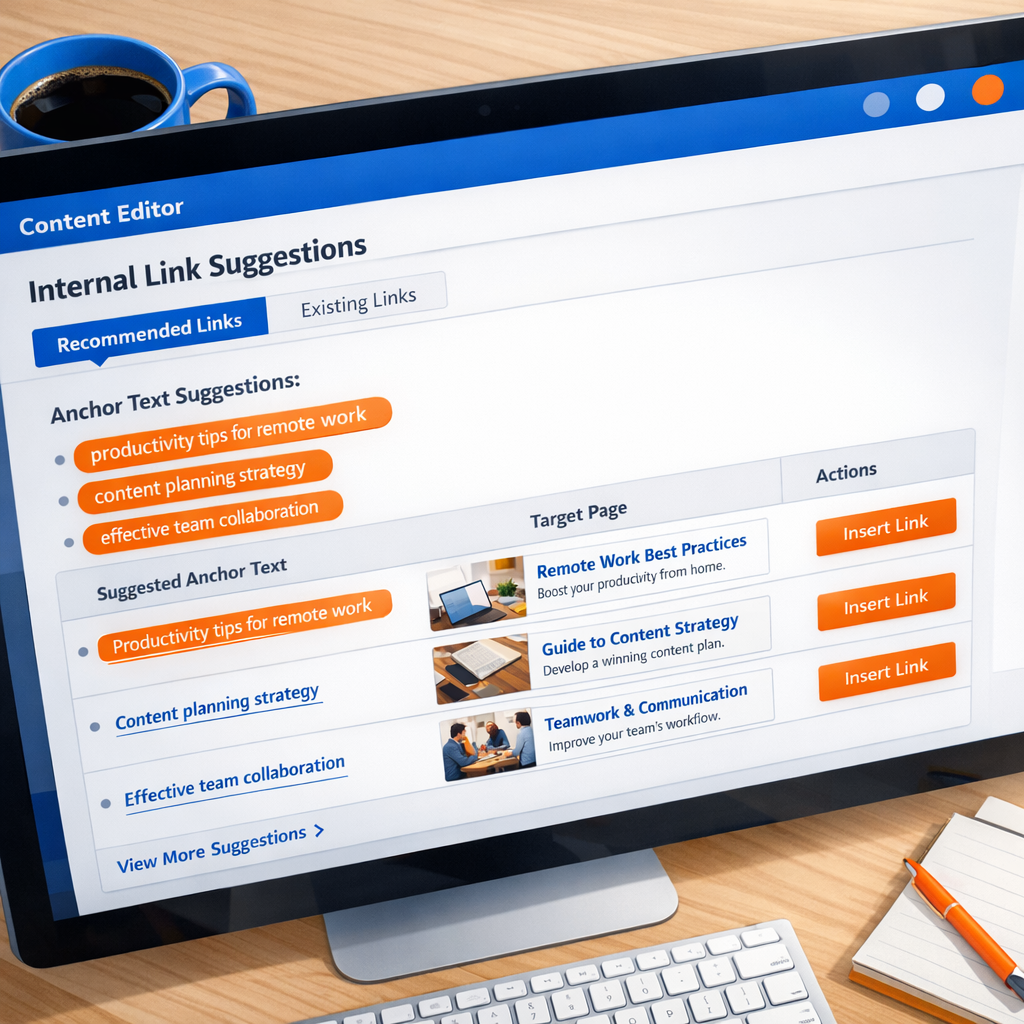
If you want to scale internal linking without manual work, automated content systems can suggest internal links, add structured linking at publish time, and keep a living map of topic clusters. For managed solutions and automated publishing, check options like the ContentBeast platform to automate internal linking and publishing workflows.
Examples and resources: Google’s developer guide on link best practices and practical internal linking guides provide useful principles for how links should be formatted and used.
FAQs
How many internal links should I add per post?
There is no fixed number, but aim for 3 to 10 relevant links in a long-form article. Focus on contextual links that add value rather than filling space with unrelated links.
Will internal linking hurt my site if I add too many links?
Too many links can dilute value and frustrate readers. Keep links relevant and spaced naturally. If a page feels link-heavy, remove low-value links.
Should internal links be dofollow or nofollow?
Internal links should normally be dofollow so authority passes between pages. Use nofollow only for links you do not want to endorse or when linking to untrusted user-generated content.
Can internal links replace backlinks?
No, internal links do not replace external backlinks, but they help distribute existing authority and make it easier for new pages to benefit when you do earn backlinks.
How quickly should I expect to see ranking changes after an internal link update?
You may see indexation or ranking movement in a few days to several weeks, depending on crawl frequency and competition. Track changes over 2 to 8 weeks for a clear signal.
What’s the easiest way to start if I have limited time?
Run a 30-minute sprint: identify 10 high-opportunity pages and add 1 to 3 contextual links from high-traffic posts to each. That concentrated effort often yields fast gains.
Next steps you can take today
- Run the 30-minute sprint described above.
- Pick 3 pillars to protect and link to from all related posts.
- Schedule a monthly internal link audit in your editorial calendar.
Want to automate internal linking and publishing?
If you prefer to automate link suggestions, publishing, and topic planning, consider a tool that handles weekly content, internal links, and AI-optimized posts. Learn more about ContentBeast and how it automates internal links and publishing at https://ContentBeast.com.
Conclusion
A focused internal linking strategy for quick SEO wins does not require a large budget. With targeted audits, meaningful anchor text, and a few short sprints, you can boost discoverability and move priority pages into better positions. Start small, measure progress, and scale the tactics that show results.
Quick resources
- Google link best practices: https://developers.google.com/search/docs/crawling-indexing/links-crawlable
- Internal linking guides and case studies: Search Engine Journal and Conductor articles linked earlier