

Repurposing your best blog content is the fastest route to more traffic, without writing full new posts every week. You already own the research, headlines, backlinks, and audience signals. With a few tight processes and lightweight tools you can convert one high-performing article into a week or month of distribution-ready assets.
Here’s the thing, when you learn to recycle instead of reinvent, you free up time for strategy, outreach, and product work. Below I lay out a progressive workflow you can run in a few hours, plus templates and quick tests that deliver measurable results.

Why repurpose blog content fast
If your blog is your main traffic engine, small improvements compound quickly. Repurposing multiplies content lifespan and distribution without doubling your workload. You get more impressions, backlinks, and platform presence from the same core idea. That’s efficient growth for bootstrapped teams, agencies, and SaaS founders who need traction fast.
Quick benefits at a glance
- More reach, same research, less writing. Turn one piece into video, audio, and social snippets.
- Faster wins in search and AI discovery by creating multiple entry points for the same topic.
- Low friction ways to experiment with formats and channels before committing budget.
9 fast repurposing wins you can do in a day
1. Identify your top candidate (15 minutes)
Pick posts with decent traffic, backlinks, or time-on-page. Prioritize evergreen long-form how-to guides and case studies, because they convert best when refreshed and republished.
2. Create a 60-second video summary (30–60 minutes)
Write a short script using the article headings. Record on your phone or use a screen-record + voiceover. Publish as YouTube Short, Instagram Reel, or LinkedIn video. Short-form drives discovery and links back to the full post.
3. Turn the post into a 10–15 minute podcast episode (45–90 minutes)
Use the article as your script or talking points. Host it yourself or repurpose a narrated reading. Upload to major podcast platforms and include show notes linking to the post.
4. Build a slide deck and host on SlideShare or LinkedIn (20–40 minutes)
Repurpose headings into 8–12 slides. Visual bullets, a few charts or screenshots, and a CTA slide linking to the original article perform well.
5. Pull 8–12 social snippets and quote cards (30 minutes)
Extract stats, bold statements, and micro-tips. Design quick cards with consistent branding and schedule them across X, LinkedIn, Instagram, and Threads.
6. Make an infographic from data or process steps (60–120 minutes)
If the post includes steps, timelines, or stats, an infographic increases shares and linkability. Use an online template and keep it scannable.
7. Publish a short follow-up or update with timeline changes (20–40 minutes)
Refresh the original post with new examples, updated stats, or added resources. Republish with a clear “Updated” note so search engines and social audiences re-crawl.
8. Create an email mini-series (30–60 minutes)
Break the article into 3–5 daily emails that teach a single step. Each email links back to the full post as a resource.
9. Offer the content as a downloadable lead magnet (60–90 minutes)
Convert the article into a compact PDF checklist, worksheet, or mini-ebook. Gate it behind an email form to boost leads from existing traffic.
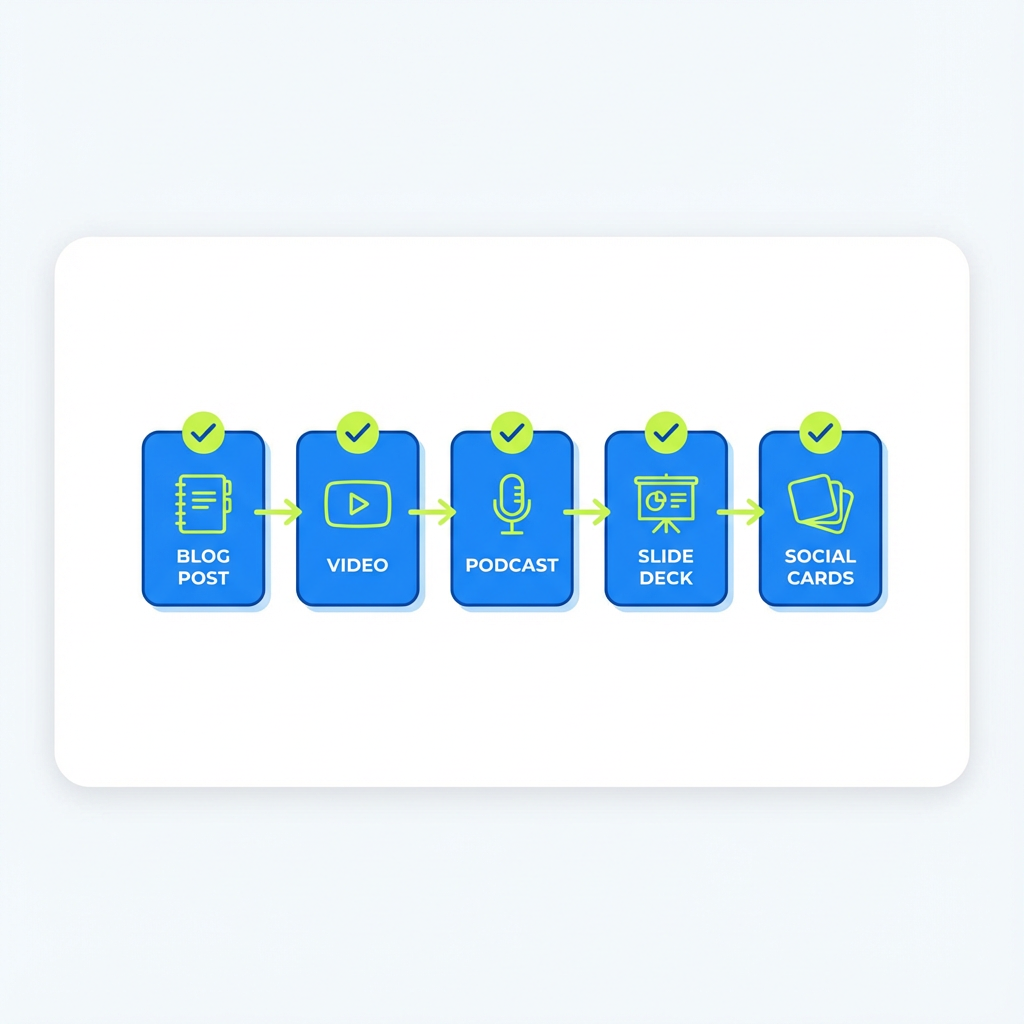 Video -> Podcast -> Slide Deck -> Social Cards. Style…”>
Lightweight workflow and tools
- Script quickly: use the article H2s as video/podcast script prompts.
- Recording tools: phone + Rode/Vocal mic, or use a simple USB mic for better sound.
- Editing: use a basic editor like CapCut for short video, Descript for audio editing and repurposing.
- Design: Canva templates for social cards and infographics.
- Scheduling: Buffer, Later, or native platform schedulers.
Automation note: If you want to accelerate further, tools exist that automatically generate short videos, extract audio, or create social snippets from a URL. For full autopilot content generation and weekly publishing, check a blogging automation provider like ContentBeast at https://ContentBeast.com and review pricing options at https://ContentBeast.com/pricing/ for plans that include automated article creation and publishing.
How to measure fast wins (30–60 days)
- Track traffic lift to the repurposed post and referral traffic from new channels.
- Monitor engagement on video and social snippets, not just views, to see format fit.
- Watch lead magnet conversion rates and email signups from repurposed assets.
- Adjust cadence based on channels that actually send traffic in 30–60 days.
Objections and quick rebuttals
- "Won’t this feel repetitive to my audience?" Not if you tailor format and angle. Video, audio, and slides reach different audience behaviors.
- "I don’t have design or video skills." Use templates and phone-recorded videos. Focus on clarity, not polish.
- "Is this SEO-friendly?" Yes. Refreshing and republishing quality content signals freshness. Add structured headings, new examples, and internal links.
Ready to scale your blog?
If you want to move from occasional repurposing to predictable weekly distribution, consider a system that automates keyword discovery, article creation, and publishing. Explore ContentBeast for automated article pipelines, image generation, and publishing plugins at https://ContentBeast.com. Their pricing page shows options if you want a hands-off weekly content engine: https://ContentBeast.com/pricing/.
FAQs
How quickly can I repurpose a blog post into a video or podcast?
With a focused script and phone recording, you can produce a short video or audio episode in 30–90 minutes. Editing may add time, but using simple cuts or automatic editors speeds things up.
Which blog posts make the best candidates for repurposing?
Choose long-form how-to guides, in-depth case studies, or posts with unique data. These formats map well to slides, audio, and visual content.
How often should I update and republish old posts?
For evergreen content, every 6–12 months is a good rhythm. If a post is tied to a fast-moving topic, update sooner.
Can repurposing hurt SEO because of duplicate content?
No, if you transform the format and add new context or examples. Avoid publishing identical copies on the same domain; instead update the original and produce distinct derivative assets.
What metrics show repurposing is working?
Traffic lift to the original post, referral traffic from new channels, engagement metrics on repurposed assets, and leads generated from gated downloads are key indicators.
Should I repurpose every post?
No. Focus on high-potential posts that already have traction or strategic importance. Quality over quantity pays off.
What’s the fastest way to get started this week?
Pick one strong post, make a 60-second video, extract five social quotes, and create a simple lead magnet. Track results for 30 days and iterate.
Conclusion
Repurposing blog content fast is not a trick, it is a system. Start by picking your best posts, pick two formats to test, and measure results. Within a few weeks you’ll know which channels multiply traffic and leads with minimal extra work. Keep the process lean, automate where it saves time, and reinvest wins into outreach and backlinks.
If you want to remove the guesswork and automate weekly publishing and optimization, see ContentBeast for automated article creation and publishing to speed your content flywheel: https://ContentBeast.com.