

You want more leads without adding a full-time marketer, complicated workflows, or a long ramp-up. Thats exactly why lightweight AI agents are such a powerful option, they automate small but high-impact tasks that capture attention and convert visitors fast. In this article youll get practical, low-friction ideas for building simple AI agents that drive leads, plus step-by-step setup notes and measurement tips.
simple ai agent ideas for leads are best when they focus on one clear goal, require minimal configuration, and integrate with your existing tools. Below I list nine proven agent concepts, how to set them up quickly, and when theyre most likely to move the needle for small businesses, SaaS founders, agencies, and content teams.
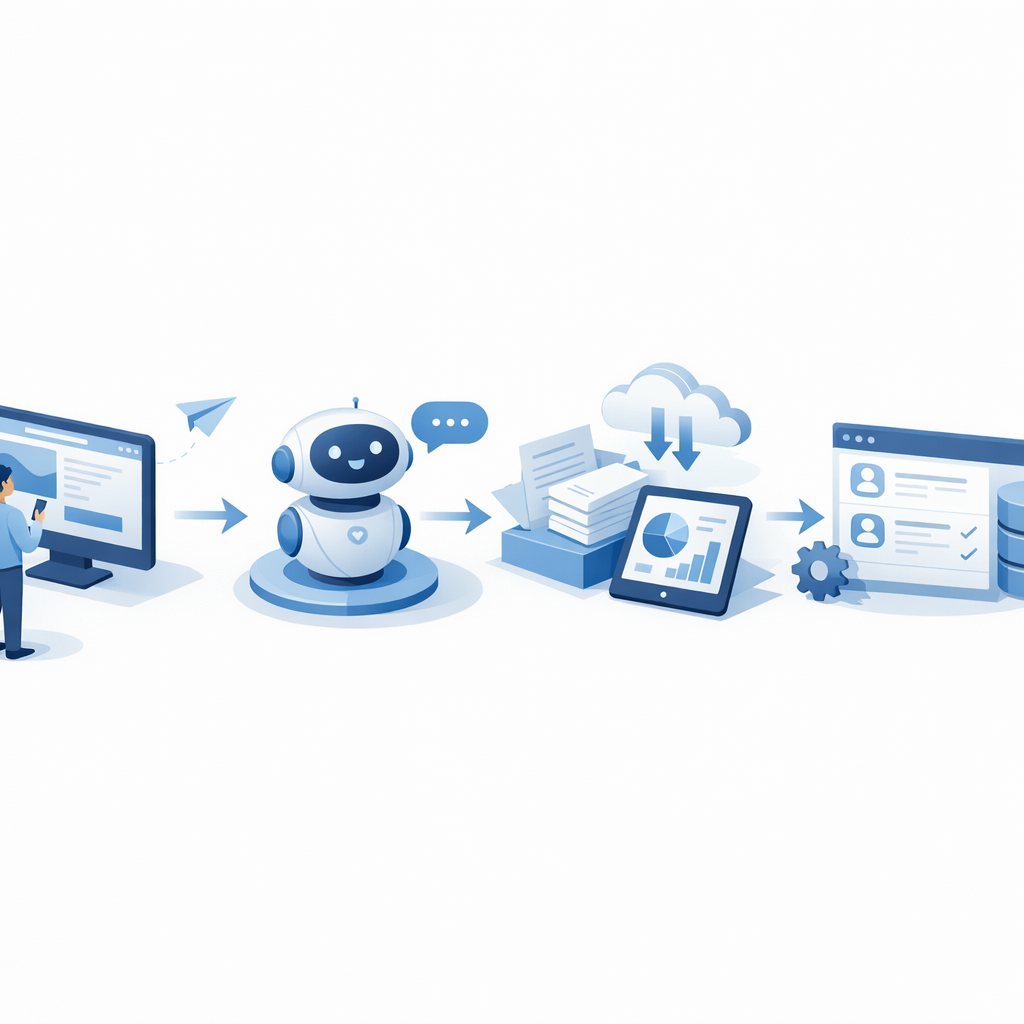 chatbot -> data capture -> CRM entry, mini…”>
How to pick the right agent for quick wins
- Start with the smallest friction point, for example missing contact forms or slow responses.
- Choose a single conversion goal, like email capture, demo booking, or pricing inquiries.
- Use one integration at first, for example a form-to-CRM or chat-to-calendar link.
- Measure the lift in leads, not vanity metrics.
9 Simple AI agent ideas for leads (what to build and why)
- Website prospect greeter
- What it does: A lightweight chat widget that greets new visitors, asks one qualifying question, and captures an email.
- Why it converts: Personalized greetings and quick forms increase engagement and reduce bounce.
- Setup notes: Use a rule to trigger after 8-12 seconds on page, save responses to your CRM or email list.
- Micro-survey collector
- What it does: A short 1-3 question survey that asks about visitor intent, then offers a relevant lead magnet.
- Why it converts: Quick surveys raise commitment, and the lead magnet gives immediate value in exchange for contact details.
- Setup notes: Keep questions optional and mobile-first.
- Instant demo scheduler
- What it does: An AI assistant reads the visitors availability or preferred time and books a demo directly on your calendar.
- Why it converts: Reduces friction to book, eliminates back-and-forth email.
- Setup notes: Integrate with Google Calendar or your scheduling tool, confirm with an automated reminder.
- Pricing estimator agent
- What it does: Visitor answers a few inputs and receives an instant, shareable price estimate or product recommendation.
- Why it converts: Helps high-intent buyers self-qualify and speeds decisions.
- Setup notes: Offer the estimate in exchange for an email to capture the lead.
- Competitor comparison helper
- What it does: Short interactive flow that explains how your product differs from a named competitor and invites follow-up.
- Why it converts: Shifts buying frame to your strengths and surfaces comparison-ready leads.
- Setup notes: Prepare concise, factual comparison points and a path to speak with sales.
- Content upsell bot
- What it does: On blog posts, offer an AI agent that suggests a related downloadable that matches the readers goal.
- Why it converts: Contextual offers convert better than generic popups.
-Setup notes: Pair with an automated email nurture.
- Re-engagement messenger for returning visitors
- What it does: Recognizes returning visitors and offers a new incentive or asks about progress since last visit.
- Why it converts: Returning visitors are warmer leads, a timely nudge can close them.
- Setup notes: Use cookie or local storage to track return visits respectfully.
- Live FAQ summarizer
- What it does: An AI agent that answers complex product questions by summarizing your help docs in plain language and captures contact info for follow-up.
- Why it converts: Reduces friction for users needing human help and surfaces higher intent queries.
- Setup notes: Point the agent to a small, curated knowledge base to keep answers accurate.
- Referral request assistant
- What it does: After a purchase or demo, the agent asks happy customers for referrals or to join an affiliate program.
- Why it converts: Turning satisfied customers into lead sources is cost effective.
- Setup notes: Trigger at the right moment, offer a simple reward, and capture referral emails.
Fast implementation checklist (30-90 minutes)
- Pick one agent idea that maps to your highest-leverage page.
- Define the single conversion event, e.g., email collected, demo booked.
- Create 3 short prompts or questions the agent will use.
- Connect to one integration, CRM or calendar.
- Launch A/B test vs baseline for 2 weeks, measure leads and conversion rate.
Lightweight architecture and tools
You dont need to build custom AI from scratch. Combine:
- A chat or automation layer (widget or platform)
- Simple prompt templates and branching logic
- Integration to email/CRM and calendar
- Analytics to track conversions
Focus on clear handoffs, for example chat -> contact record -> welcome email. Keep error handling simple, fallback to a human email when the agent cant resolve a query.
Measurement: what to track
- Primary metric: new leads per week from the agent.
- Secondary metrics: lead quality (demo rate, MQL rate), time to first response, bounce rate on targeted pages.
- Use short windows initially, compare 14-day periods to see early signal.
Objections and realistic expectations
- "AI will sound robotic"
Make prompts conversational and test with real users. Keep responses short. - "This feels spammy"
Limit frequency, ask for permission before capturing data, and always offer an easy opt-out. - "Setup will take too long"
Start with a single page and a one-question flow, you can expand later.
How quickly can I see results?
Many teams see measurable lead increases in 1-3 weeks after launch, depending on traffic and the chosen page. Keep the first version minimal, measure, then iterate.
Frequently Asked Questions
What is the simplest AI agent to start with for lead capture?
Start with a one-question chat greeter that offers a lead magnet for an email. Its fast to build and has a clear exchange of value.
Do I need developer resources to deploy these agents?
Not necessarily. Many platforms provide widgets and integrations that require only a small script tag and basic configuration. Developers help for deeper CRM automation.
How do I ensure lead quality from AI-collected contacts?
Add a qualifying question, validate email format, and use follow-up sequences to triage leads quickly.
Can these agents integrate with my CRM and calendar?
Yes, most simple agents can connect via built-in integrations or Zapier-like middleware to push contacts and create events.
What privacy considerations should I follow?
Be transparent about data collection, store only needed fields, and follow regional rules like GDPR if applicable for your audience.
How often should I iterate on the agent's prompts?
Check performance weekly for the first month, then iterate every 1-2 weeks based on conversion signals and user feedback.
Start Getting Leads with Simple AI Agents Today
Ready to turn a small automation into predictable leads? Try one of the nine agent ideas above on a high-traffic page, track results for two weeks, then scale what works. For guided templates, scheduling tips, and plug-and-play prompt libraries, visit https://ContentBeast.com and get a fast-win plan tailored to your site.
Conclusion
Simple AI agents let you automate high-impact touchpoints without massive overhead. Pick one focused idea, wire it to a single integration, measure the lead uplift, and iterate. Small experiments compound quickly, and when you prioritize clarity and low friction, you get better leads faster. Try a micro-agent this week and see how a tiny automation can pay for itself in days.