

When you need content that actually drives traffic, speed matters. The good news is that how to write blog posts faster with automation is less about replacing your thinking and more about removing the slowest parts of the process.
If you’ve ever stared at a blank page, jumped between tools, or spent hours editing the same draft, automation can cut the friction fast. The trick is using it for research, outlining, drafting support, optimization, and repurposing, so you keep quality high without doing everything manually.
What Automation Really Means for Blog Writing
Automation is not about letting software publish random posts for you. It’s about building a repeatable system that handles repetitive work so you can focus on strategy, voice, and expertise.
For blog owners, SaaS teams, agencies, and e-commerce marketers, that usually means automating the parts that slow you down most:
- Topic research
- Keyword clustering
- Content briefs
- Outline creation
- First-draft generation
- Internal linking suggestions
- SEO checks
- Repurposing into social posts or email snippets
A smart workflow helps you move from idea to publishable draft in a fraction of the time. That’s the real advantage of how to write blog posts faster with automation, it gives you momentum without making your content feel robotic.
Start With a Repeatable Content System
The fastest writers do not start from scratch every time. They use a repeatable system that turns one good idea into a structured blog post with much less effort.
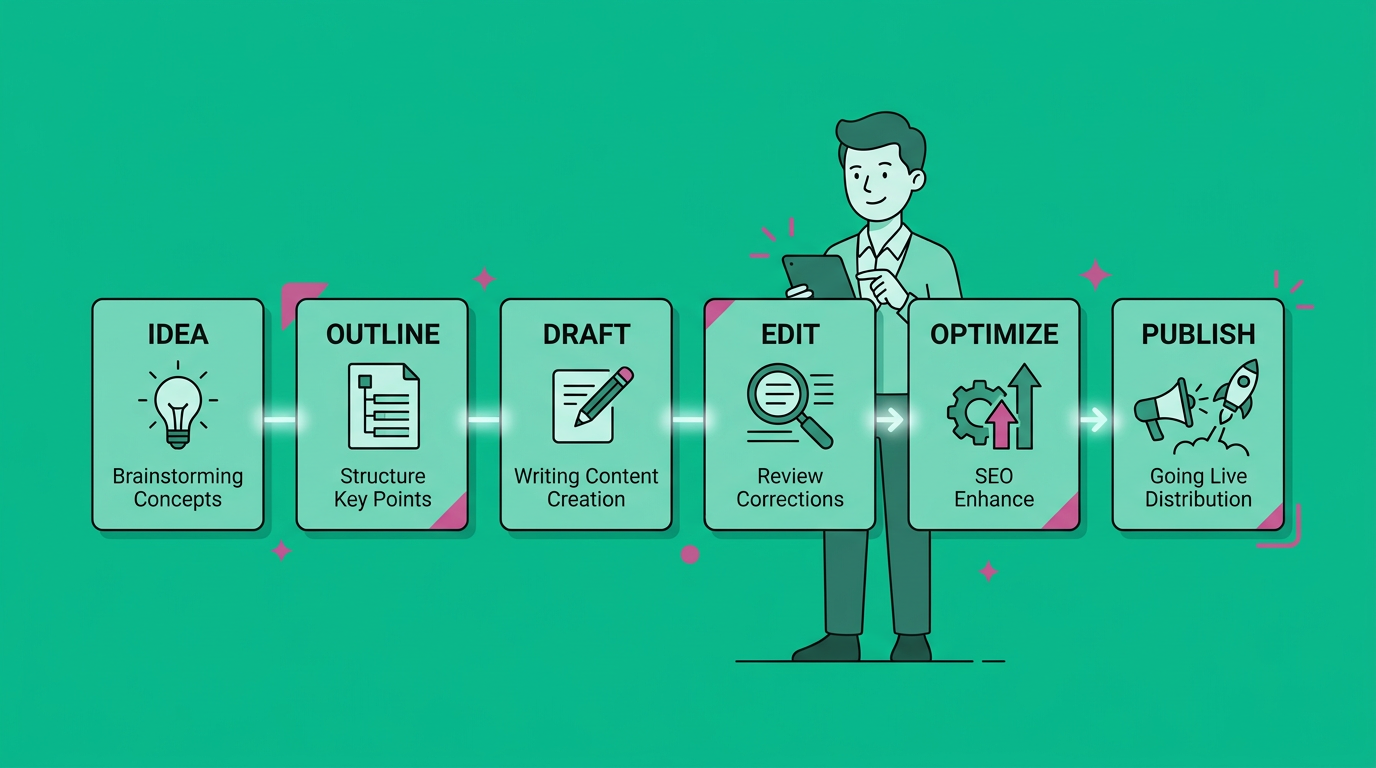
Here’s a simple workflow:
1. Capture ideas in one place
Use a spreadsheet, Notion, Airtable, or your project tool of choice. Keep a running list of topics, pain points, objections, and question-based keywords.
2. Auto-build a brief
Your brief should include search intent, target keyword, audience, angle, CTA, and supporting points. Once you have a template, you can duplicate it for every article.
3. Generate a first draft faster
Use automation to create a rough draft from your outline. Do not aim for perfection here. The goal is to get words on the page quickly so you can edit with intention.
4. Optimize before publishing
Run your draft through SEO, readability, and formatting checks. This helps you catch gaps in headings, internal links, and keyword usage before the post goes live.
This process is especially useful if you want consistent blogging without hiring a full in-house team.
Use Automation at the Right Stages
The biggest mistake people make is trying to automate everything. That usually creates generic content and extra cleanup.
Instead, automate the tasks that are repetitive and predictable.
Best tasks to automate
- Keyword research and topic grouping
- FAQ generation from common queries
- Heading suggestions
- Content outlines
- Meta title and description drafts
- Image prompt creation
- Internal link suggestions
- Content repurposing
Tasks to keep human
- Final angle and opinion
- Brand voice
- Examples and stories
- Fact-checking
- Conversion messaging
- Editing for clarity and trust
If you want content that ranks and converts, this balance matters. Automation should speed up production, not flatten your expertise.
A Faster Blog Writing Workflow You Can Copy
Here’s the thing, speed comes from sequence. When you stack the right steps in the right order, writing gets much easier.
Step 1: Pick one question-based topic
Instead of chasing broad ideas, start with a clear question like “how to write blog posts faster with automation.” Question-led topics usually make the outline easier and the intent clearer.
Step 2: Pull the top subtopics automatically
Use automation to identify common related questions, supporting angles, and subtopics. This gives your article structure before you start drafting.
Step 3: Draft section by section
Do not write the whole article in one go. Use your outline to create one section at a time so you stay focused and avoid mental overload.
Step 4: Add human layers
Insert your examples, your tone, your lessons, and your proof. This is where the content becomes useful instead of just acceptable.
Step 5: Finish with a quality pass
Review for repetition, weak openings, missing transitions, and SEO basics. A quick edit can turn a decent draft into a strong one.
How to Keep Quality High While Moving Faster
Speed is great, but not if it hurts trust. The best automated content still feels specific, helpful, and readable.
Use templates for consistency
Templates reduce decision fatigue. Build reusable templates for list posts, how-to guides, comparisons, FAQs, and product-led articles.
Add your own POV
If every paragraph sounds like it could belong to any brand, the piece will not stand out. Add your take on what works, what fails, and what you recommend.
Keep the reader’s job in mind
A blog post should answer a question, solve a problem, or help someone decide. If automation saves time but makes the article less useful, it is the wrong kind of shortcut.
Optimize for search and AI visibility
Clear headings, direct answers, and structured formatting help readers and search systems understand your content quickly. That matters if you want visibility in Google and AI-powered tools.
Common Mistakes to Avoid
Even good teams can lose time when automation is set up poorly. Watch out for these traps.
Automating without strategy
If you publish content just because it is faster to create, quality and rankings usually suffer. Start with audience needs and business goals first.
Relying on one draft only
First drafts are supposed to be rough. Always review and refine them before publishing.
Ignoring internal links
Internal links help readers discover more useful content and strengthen your site structure. If you run a blog, they should be part of your workflow, not an afterthought.
Using generic prompts
Weak prompts create weak output. Better prompts lead to better structure, better clarity, and less editing time.
Who Benefits Most From This Approach
Automation is especially helpful if you are trying to do more with a small team.
It is a strong fit for:
- Website owners trying to increase traffic
- Small and mid-size businesses with limited content bandwidth
- SaaS founders focused on organic growth
- Content marketers juggling too many deadlines
- E-commerce stores that need educational content
- Agencies scaling output across multiple clients
- B2B and B2C teams without in-house writers
If your bottleneck is time, budget, or consistency, automation can be the simplest way to build momentum.
A Practical Weekly Blogging Routine
A simple routine often beats a complicated system. Try this:
- Monday, collect topics and briefs
- Tuesday, generate outlines and first drafts
- Wednesday, edit and fact-check
- Thursday, optimize headings, links, and metadata
- Friday, publish and repurpose
This cadence keeps your blog moving without forcing you into constant content panic. And once it’s running, it becomes easier to scale.
FAQ
What is the fastest way to start using automation for blogging?
Start with outlines and briefs. Those two pieces save the most time without sacrificing quality.
Can automation replace a human writer?
Not if you want strong brand voice, unique insight, and high trust. It should support the writer, not replace the strategy.
How do I avoid sounding robotic?
Use automation for structure, then rewrite key sections in your own voice. Add examples, specific opinions, and helpful details.
Is automated blogging good for SEO?
It can be, if the content is useful, well-structured, and edited carefully. Search engines reward helpful content, not just fast content.
What tools should I automate first?
Start with research, outline creation, and repurposing. Those are usually the easiest wins.
How often should I publish?
The right cadence is the one you can sustain. Consistency matters more than posting nonstop for two weeks and disappearing.
Grow Faster Without Burning Out
If you want to write more without drowning in production, automation is your best leverage point. It helps you move faster, stay consistent, and focus on the parts of blogging that actually build trust and traffic.
The smartest teams do not try to work harder. They build a better system, publish with less friction, and keep improving the process over time. That is exactly how to write blog posts faster with automation in a way that still feels human.
If you want a simpler way to grow your content engine, visit Content Beast and explore how automation can help you publish more, rank better, and keep your team moving.
Final Takeaway
Automation works best when it removes busywork and leaves room for expertise. Use it to speed up research, outlines, and optimization, then add your human insight where it matters most.
That is the difference between cranking out content and building a blog that actually performs.