Internal linking for SEO is one of the easiest ways to help your site grow, yet it is often overlooked. If your pages are published but not getting traffic, internal links can make a huge difference by helping search engines understand your site and helping readers discover more of your best content.
Think of it like building a smart network inside your website. When you connect related pages well, you guide both people and search engines toward the content that matters most, which can improve rankings, engagement, and conversions.
What Is Internal Linking For SEO?
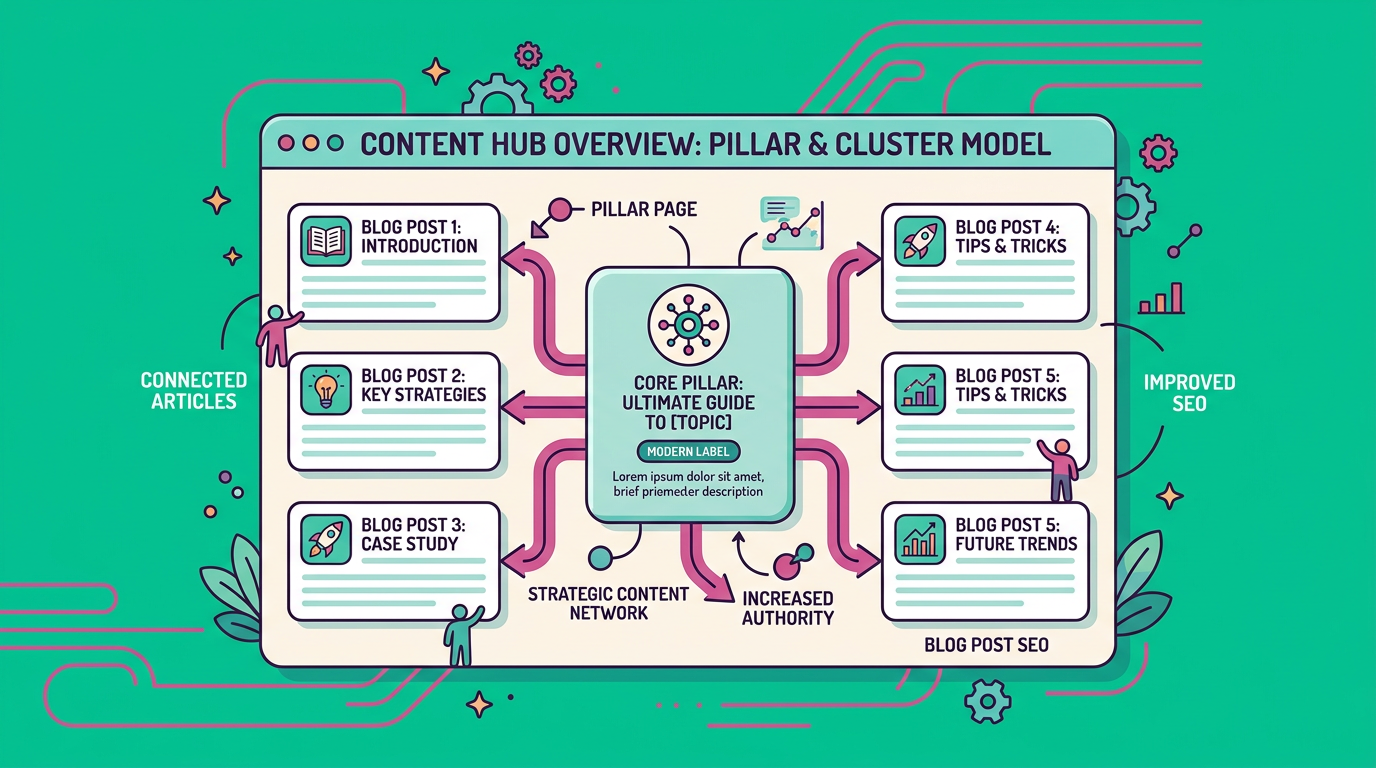
Internal linking for SEO means adding links from one page on your website to another page on the same website. These links help organize your content, show relationships between topics, and spread authority across important pages.
For readers, internal links create a better experience because they make it easier to find related information. For search engines, they help with crawling, indexing, and understanding which pages are most important.
Why internal links matter
Internal links do a few important jobs at once:
- They help search engines discover new pages.
- They distribute page authority across your site.
- They keep visitors clicking and reading.
- They support topic clusters and content depth.
- They can push attention toward money pages, service pages, or key blog posts.
How Internal Linking For SEO Helps Rankings
Search engines use links to understand structure. If an important page gets more internal links from relevant pages, it sends a signal that the page matters.
That does not mean you should link randomly or overload every paragraph. The best internal linking is strategic, relevant, and helpful for the reader.
Better crawling and indexing
If a page is isolated, it can be harder for search engines to find it. Internal links reduce that problem by creating paths between pages, especially for older posts or deep pages buried in your site structure.
Stronger topical relevance
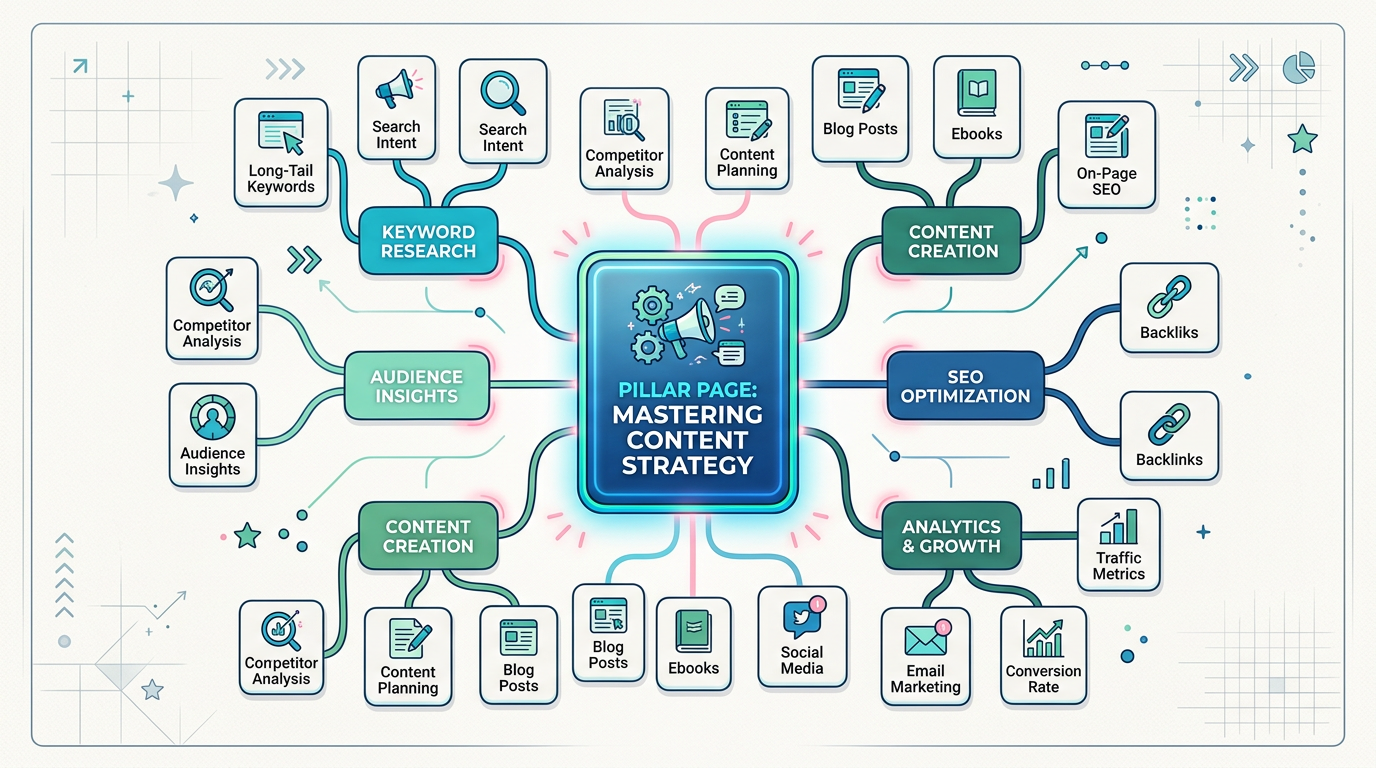
When you link related articles together, you create context. For example, a post about keyword research should naturally link to a post about content planning or SEO writing, because the relationship makes sense.
Improved user engagement
Good internal links keep people moving through your site. That can lower bounce behavior, increase time on site, and help readers move closer to a conversion.
Internal Linking Best Practices
If you want internal linking for SEO to actually work, you need a system. A few strong links placed with intention usually beat a messy pile of links every time.
Link from high-traffic pages to important pages
Start with pages already getting visits. Those pages can pass value to newer or more important content.
Use descriptive anchor text
Anchor text should explain what the linked page is about. Instead of vague phrases like “click here,” use clear language such as “SEO content strategy for blogs” or “how to build topic clusters.”
Keep links relevant
Only link when the destination genuinely helps the reader. Relevance is what makes internal links useful instead of distracting.
Prioritize deep links, not just nav links
Your homepage and menu links matter, but deep links inside content are often more powerful because they appear in context.
Update older content regularly
Older posts often become strong internal linking hubs. Refresh them with links to newer posts, updated services, or key pages you want to rank.
A Simple Internal Linking Strategy You Can Use Today
Here is a practical approach if you want results without overcomplicating things.
Step 1: Pick your cornerstone pages
Choose the pages that matter most to your business. These might include service pages, product pages, lead magnets, or your most important educational articles.
Step 2: Find supporting content
Look for blog posts that naturally connect to those cornerstone pages. Supporting content should answer smaller questions that lead readers toward the main topic.
Step 3: Add 3 to 5 relevant internal links
In each post, add a few links to related pages. Focus on usefulness, not quantity.
Step 4: Audit orphan pages
Orphan pages are pages with no internal links pointing to them. These pages are easy to miss, so connect them from relevant posts or category pages.
Step 5: Review and improve over time
Internal linking is not a one-time task. As you publish new content, update older posts so your site keeps building stronger connections.
Common Mistakes To Avoid
Even smart marketers make a few avoidable mistakes with internal linking for SEO.
Overlinking every paragraph
Too many links can make content feel cluttered and reduce clarity. Keep links intentional.
Using the same anchor text everywhere
Repeating identical anchor text too often can look unnatural. Vary the phrasing while staying relevant.
Linking to weak or irrelevant pages
If a page does not help the reader or support your goals, it probably should not get the link.
Ignoring site hierarchy
Your site should have clear structure. If everything links to everything, search engines and users can get confused.
Internal Linking For SEO And Content Strategy
This is where the real magic happens. Internal linking works best when paired with a clear content plan.
If you publish content around a theme, you can build clusters that support one another. For example, a business focused on content marketing might create posts about keyword research, editorial calendars, blog post optimization, and AI-assisted blogging, then connect them all together.
That structure helps you rank for broader topics while also supporting more specific long-tail queries.
Good pages to link often
- Pillar pages
- Service pages
- Product pages
- High-converting blog posts
- Comparison pages
- FAQ pages
Good pages to receive links often
- New posts
- Underperforming posts
- Orphaned pages
- Money pages
- Seasonal content
How ContentBeast Can Help
If you are trying to grow traffic without spending all day writing and managing content, a scalable system matters. At ContentBeast, we help teams publish smarter content that ranks on Google and gets noticed in AI tools, while keeping the process simple.
That means you can create content that actually supports internal linking, instead of publishing isolated pages that never connect to a bigger strategy.
FAQ About Internal Linking For SEO
How many internal links should a blog post have?
There is no perfect number, but a few relevant links per post is usually a good starting point. The right number depends on the length of the content and how naturally the links fit.
What is the best anchor text for internal links?
The best anchor text clearly describes the destination page. Use language that matches the topic and sounds natural in the sentence.
Do internal links help SEO more than external links?
They help in different ways. Internal links help structure your site and guide authority, while external links can add trust and context. You need both.
Should every page on my site get internal links?
Ideally, yes, especially if the page is important. Pages with no internal links are harder to find and often perform worse.
Can too many internal links hurt SEO?
Yes, if the page becomes overloaded or the links feel spammy. Focus on relevance and readability first.
How often should I audit internal links?
A monthly or quarterly audit is a smart habit. You can also review internal links whenever you publish new content or update an older post.
Grow Smarter With Better Internal Links
If your content is already live, you do not need to start over. You just need to connect the right pages in the right way. That is one of the fastest, most practical ways to improve site structure, strengthen rankings, and help readers find what they need.
If you want a more scalable content system, visit https://contentbeast.com and see how easier publishing can support long-term organic growth.
Final Thoughts
Internal linking for SEO is simple on the surface, but it has a big impact when you use it well. It helps search engines understand your site, helps visitors move through your content, and helps your best pages get more attention.
If you keep your links relevant, your anchor text clear, and your content connected, you will build a stronger website that performs better over time.