

How do you do a content audit for free? Start by listing every important URL on your blog, pulling free performance data from GSC and GA4, then labeling each page as keep, update, merge, remove, or repurpose. If you’re learning how to do a content audit for free, the goal isn’t to create a perfect spreadsheet, it’s to find the fastest content fixes that can improve rankings, clicks, leads, and AI answer visibility.
Here’s the thing, most bloggers don’t need another paid SEO tool before they clean up what they already have. A simple audit helps you spot outdated posts, thin pages, keyword overlap, missing internal links, and articles that almost rank but need a focused refresh.
That matters because Ahrefs found that 96.55% of pages get zero organic traffic from Google, which is a loud reminder that publishing more isn’t always the answer. Sometimes the best growth move is improving the assets already sitting on your website, using data you can access for free from tools like Ahrefs, Google’s GSC guide, and the GA4 Landing Page report help page.
Free Content Audit Tools at a Glance
| Tool | Best For | Free Use | What To Pull |
|---|---|---|---|
| GSC | Google performance | Yes | Clicks, impressions, queries |
| GA4 | Engagement data | Yes | Sessions, events, landing pages |
| Spreadsheet | Audit decisions | Yes | Status, notes, next steps |
| Screaming Frog | URL crawl | Free up to 500 URLs | Titles, H1s, status codes |
| Your CMS | Content review | Yes | Dates, categories, authors |
How to Do a Content Audit for Free Without Getting Overwhelmed
A free content audit is a structured review of your existing pages so you can improve what’s working, fix what’s weak, and stop wasting crawl attention on pages that don’t help users. You’re not trying to audit every pixel, plugin, or technical detail in one sitting.
For an early-stage blog or small business website, focus on content that could influence organic traffic, leads, sales, or brand trust. That usually means blog posts, service pages, product education pages, comparison pages, tutorials, and high-value landing pages.
What Counts as Content in the Audit?
Include any page that teaches, sells, explains, compares, or answers a real question from your audience. For WordPress bloggers, this usually includes posts, pages, category pages, and sometimes tag pages if they’re indexed and visible to Google.
Skip admin pages, cart pages, legal pages, and anything intentionally private. If you’re unsure, ask one question: could this page help someone discover, understand, trust, or buy from us? If yes, include it.
Step 1: Build Your Free URL Inventory
Start with a spreadsheet. Create columns for URL, title, content type, publish date, last updated date, target topic, traffic, impressions, clicks, conversions, internal links, decision, priority, and notes.
You can gather URLs from your CMS, XML sitemap, GSC pages report, GA4 landing pages, and a free Screaming Frog crawl if your site has 500 URLs or fewer. Don’t worry if your first inventory isn’t perfect. A workable list beats a beautiful spreadsheet you never use.
Simple Spreadsheet Columns to Add
Use these columns to keep the audit clean:
- URL
- Page title
- Content type
- Main topic
- Current keyword or query focus
- Google clicks
- Google impressions
- GA4 sessions
- Leads or sales events
- Last updated date
- Content quality score
- Recommended action
- Priority
The decision column is the most important one. Every URL should end with one next step, not a vague comment like “review later.”
Step 2: Pull Free Data From GSC and GA4
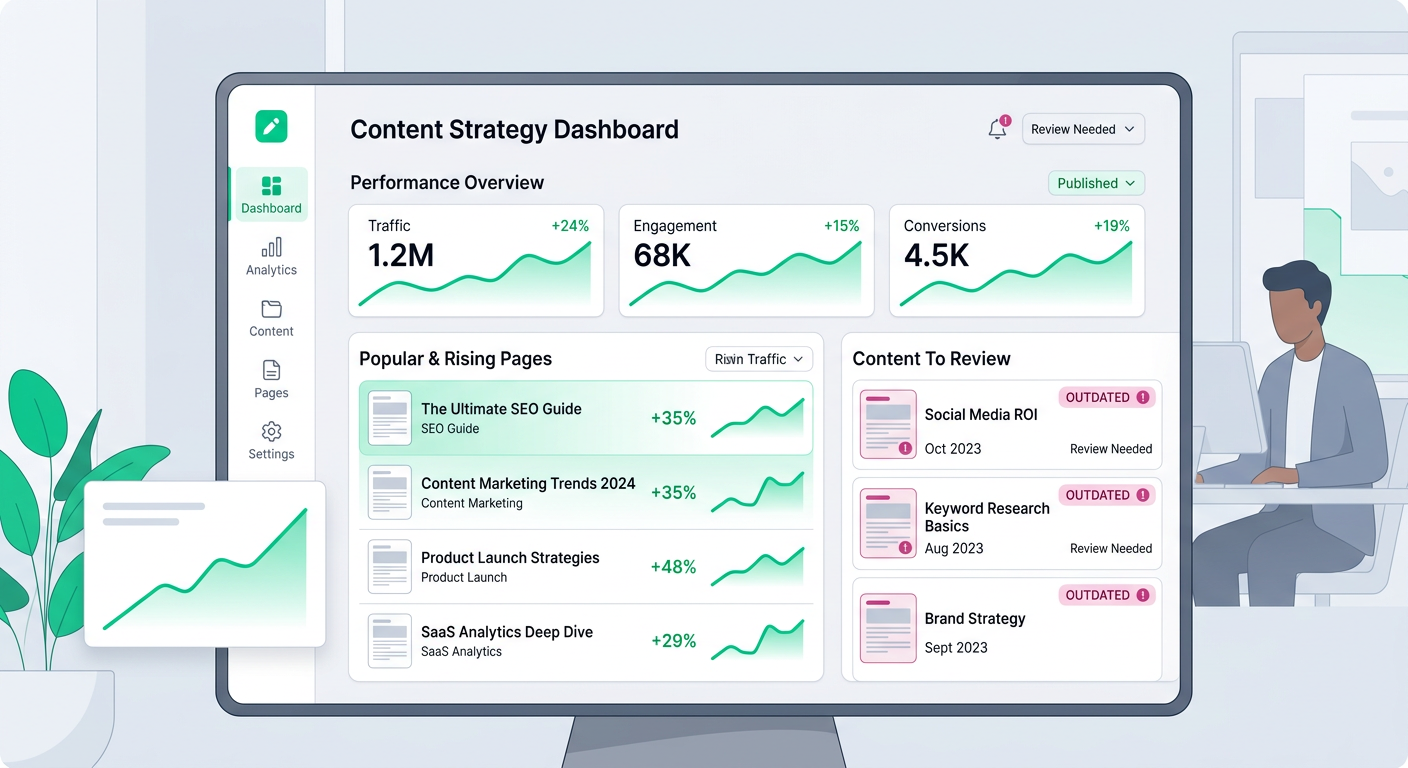
GSC helps you understand how people find your pages in Google. Look at clicks, impressions, click-through rate, average position, and queries for each page. You’re looking for pages with high impressions but low clicks, pages ranking just outside the top results, and pages that get visibility for topics you didn’t fully cover.
GA4 helps you understand what happens after people land on your page. Review sessions, engagement, key events, purchases, form fills, newsletter signups, or other actions that matter to your business.
What the Data Usually Reveals
A content audit often uncovers a few predictable patterns. Some posts get impressions but the title doesn’t earn clicks. Some pages attract visitors but don’t guide them to a useful next step. Others rank for the wrong intent, which means people arrive and leave because the page doesn’t answer what they wanted.
That’s why you need both GSC and GA4. Google visibility data shows demand. Engagement data shows whether the page deserves more attention.
Step 3: Score Each Page With a Simple 1 to 5 System
Now add a content quality score. Keep it simple enough that you’ll actually finish the audit.
Use this scale:
- 5: Strong, current, useful, and performing well
- 4: Good page with minor updates needed
- 3: Decent page with clear gaps
- 2: Weak, outdated, thin, or unfocused
- 1: Poor quality, duplicate, irrelevant, or harmful
Don’t overthink the score. You’re creating a priority map, not writing a legal brief. If a page is old, thin, off-topic, or has no clear purpose, it probably deserves a low score even if you like the original idea.
Questions to Ask While Scoring
Read each page like a real visitor. Does it answer the main question quickly? Is the advice current? Does it include useful examples? Does it link to relevant next steps? Is it better than competing pages a reader might find?
If the answer is no, don’t panic. That page might be a great refresh candidate, especially if it already gets impressions.
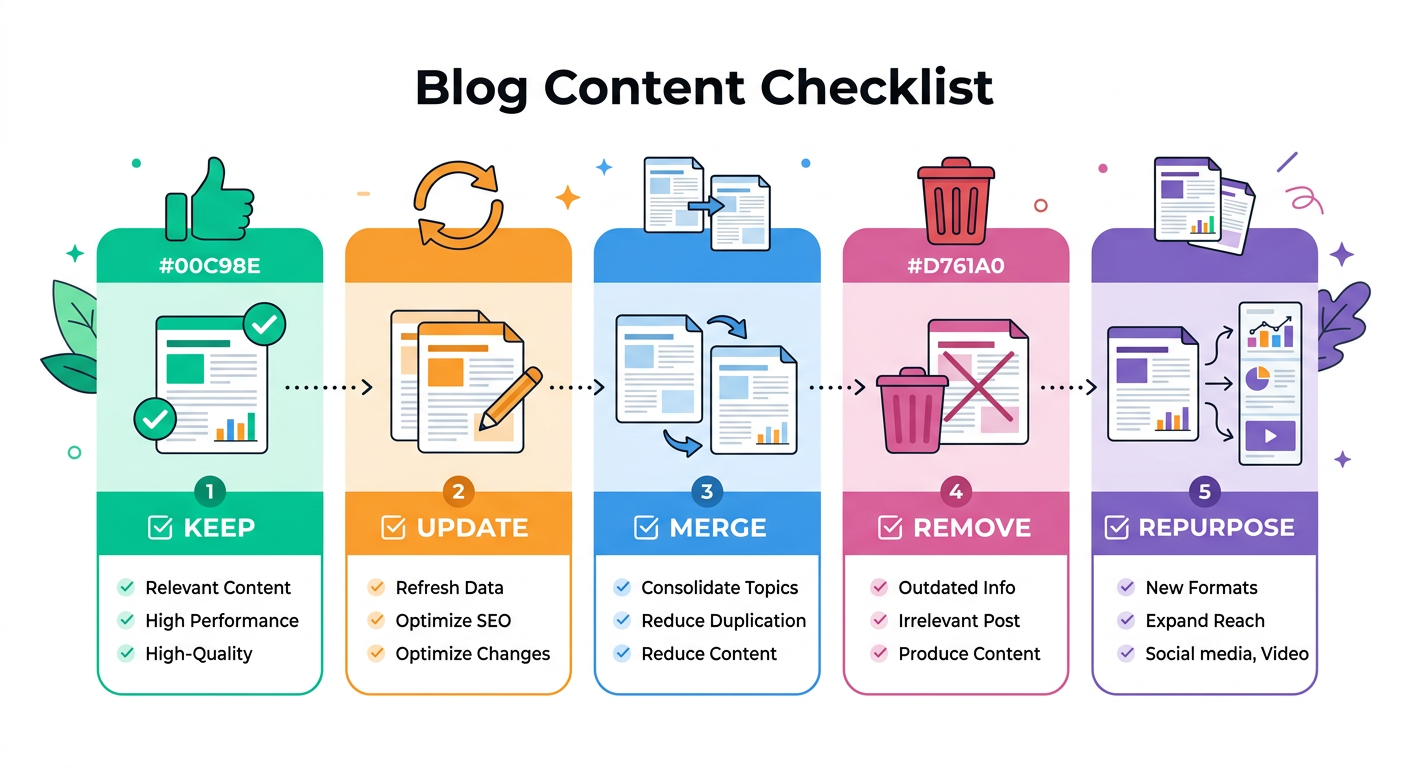
Step 4: Choose Keep, Update, Merge, Remove, or Repurpose
This is where your audit becomes useful. Assign every page one action.
Keep
Keep pages that are accurate, useful, and performing well. You may still add a few internal links or a stronger callout, but these pages don’t need major edits right now.
Update
Update pages that have potential but need improvement. Common updates include rewriting the opening answer, adding current examples, improving headings, expanding thin sections, fixing outdated claims, and adding FAQs.
Merge
Merge pages when two or more posts compete for the same topic. Keyword overlap can weaken your site because Google has to choose between similar pages. Combine the best parts into one stronger article, then redirect the weaker URL if appropriate.
Remove
Remove content that is outdated, irrelevant, low quality, and not useful to your audience. Before deleting, check whether the page has backlinks, conversions, or important internal links. When in doubt, redirect it to the closest relevant page.
Repurpose
Repurpose content that has good ideas but doesn’t deserve to stay in its current format. A weak article might become an FAQ answer, email, LinkedIn post, product guide section, or supporting paragraph inside a stronger pillar page.
Step 5: Find Quick Wins First
The best free content audit doesn’t treat every page equally. Prioritize pages that can move with the least effort.
Look for pages with high impressions and low click-through rate. These often need sharper titles, clearer meta descriptions, a better opening answer, or a closer match to intent. Also look for pages ranking near the top group of results, because a focused refresh can sometimes lift them faster than creating something new.
Easy Fixes That Often Help
Start with edits like these:
- Rewrite the first paragraph to answer the query directly
- Add a short summary near the top
- Improve headings so the page is easier to scan
- Add examples, screenshots, templates, or checklists
- Update outdated dates, tools, pricing, or process steps
- Add internal links from related pages
- Add a clearer next step for readers
If you care about AI answer visibility too, study how structured sections, FAQs, and concise answer blocks work in this guide on AI visibility for your blog.
Step 6: Strengthen Internal Links During the Audit
Internal links are one of the easiest improvements to make for free. They help readers move from one useful page to another, and they help Google understand which pages matter most on your site.
During the audit, note pages that have no internal links pointing to them. These are often called orphan pages. Also look for your strongest pages and add relevant links from them to pages you want to grow.
Internal Link Rules That Keep Things Clean
Use descriptive anchor text. Instead of “read more,” link a phrase like “WordPress blog automation workflow” or “content refresh checklist.” That helps users know what they’ll get before they click.
For WordPress sites, this gets easier when your publishing process includes internal linking by default. If you’re trying to scale without manually checking every post, a WordPress blog automation workflow can help keep new articles structured, linked, and easier to manage.
Step 7: Create a 30-Day Content Improvement Plan
An audit without execution is just a spreadsheet. Once you’ve reviewed your pages, choose a realistic 30-day plan based on priority.
For most small teams, that means refreshing three to five high-potential posts, merging one set of overlapping articles, removing or redirecting a few weak pages, and adding internal links across your best content cluster. You don’t need to fix everything this month.
A Simple 30-Day Plan
Week one: Build the inventory and pull GSC and GA4 data.
Week two: Score pages and assign keep, update, merge, remove, or repurpose.
Week three: Refresh your top three quick-win pages.
Week four: Fix internal links, merge overlapping content, and document what changed.
Repeat this every quarter. Your blog will become cleaner, more focused, and easier to grow over time.
Common Mistakes to Avoid
The biggest mistake is deleting pages too quickly. A page with low traffic may still have backlinks, assist conversions, or support a larger topical cluster. Check before removing anything.
Another mistake is only looking at traffic. A page with modest visits can still be valuable if it attracts high-intent readers who buy, subscribe, or contact you. For early-stage businesses, quality of traffic often matters more than volume.
Finally, don’t refresh a post by simply adding more words. Better content means clearer intent, stronger structure, fresher examples, and a more useful answer. Longer isn’t always better.
Grow Your Blog With a Cleaner Content System
If your audit shows that you need to publish more consistently, refresh old posts, and build topical authority without adding another giant task to your week, ContentBeast can help. It plans, writes, formats, links, and publishes SEO-friendly blog content so your site keeps growing while you focus on the business.
Start with the free audit above, then use what you learn to guide your next month of content. The cleaner your content base, the easier it becomes to scale.
Frequently Asked Questions
How often should I do a free content audit?
For most blogs, run a light audit every quarter and a deeper audit once or twice per year. If you publish daily or manage a large site, review key pages monthly so outdated content doesn’t pile up.
How long does a content audit take?
A small blog can often be audited in two to four hours. A larger site may take several days, especially if you review each page manually. Start with your top 50 URLs if time is limited.
Can I do a content audit without paid SEO tools?
Yes. You can use GSC, GA4, your sitemap, your CMS, and a spreadsheet. Paid tools can speed things up, but they aren’t required for a practical first audit.
Should I delete old blog posts with no traffic?
Not automatically. First check whether the post has backlinks, supports another page, targets a valuable niche query, or could be improved. If it has no value and no future role, remove or redirect it carefully.
What pages should I update first?
Update pages with high impressions, low clicks, outdated information, ranking potential, or business value. These pages usually offer better upside than posts with no visibility and no clear audience need.
How do I know if two posts should be merged?
Merge posts when they target the same intent, repeat the same advice, or split authority across similar keywords. Keep the stronger URL, combine the best content, and redirect the weaker page when appropriate.
Does a content audit help with AI answer visibility?
Yes, if your updates make pages clearer, better structured, and easier to summarize. Concise answers, clean headings, FAQs, examples, and strong entity coverage can all help your content become easier for AI tools to understand.
Conclusion
Learning how to do a content audit for free is one of the highest-leverage skills a blogger or website owner can build. It helps you stop guessing, see what your content is actually doing, and focus your effort on pages that can improve rankings, traffic, leads, and trust.
Start simple. Build your URL list, pull free data, score each page, assign one action, and tackle the quick wins first. A cleaner content library makes every future blog post work harder.
