
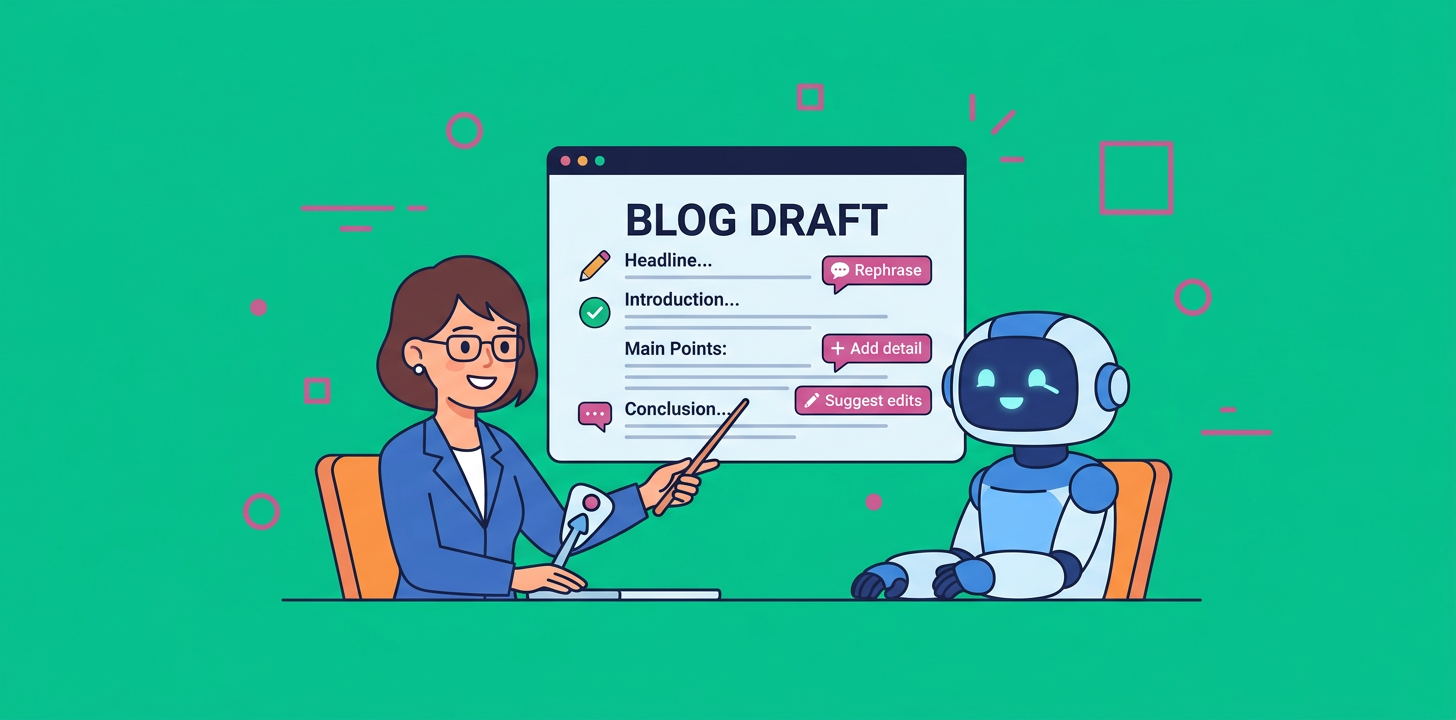
How do you use AI to write a blog post the right way? Use AI to choose a focused topic, ask you for real expertise, then draft and publish the article with human insight built in. The goal is not to replace your judgment, it is to turn your knowledge into consistent, useful content faster.
If you want to learn how to use AI to write a blog post, the biggest mindset shift is simple: AI should handle the repeatable parts, while you add the parts only your brand can provide. That includes examples, opinions, customer patterns, case studies, product knowledge, and lessons from actual experience.
Introduction
AI blogging is no longer a weird experiment for tech teams. It is now a practical workflow for bloggers, founders, marketers, agencies, and website owners who need to publish consistently without burning out.
But here’s the thing, full autopilot sounds amazing until every post starts sounding like everyone else’s post. Generic AI content is easy to produce, easy to ignore, and increasingly hard to trust. The brands that win are the ones using AI as a system, not a shortcut.
A good AI blogging workflow does three things well:
- Finds topics people actually care about
- Pulls original insight from a human before writing
- Publishes polished content on a consistent schedule
That is the difference between lazy automation and smart automation.
Why AI Blog Automation Works Best With Human Expertise
AI is excellent at organizing information, spotting topic patterns, creating outlines, drafting sections, formatting posts, and speeding up production. It can help you move from blank page to published article much faster.
What it cannot do on its own is know what happened inside your business last quarter. It does not know why your customers choose one feature over another. It does not know the objections your sales team hears every week, the experiment that failed, or the surprising tactic that worked.
That is where your expertise matters.
Google has repeatedly emphasized helpful, reliable, people-first content. In plain English, that means your article should exist to help the reader, not just to fill a publishing calendar. AI can support that goal, but it needs human direction and real-world substance.
OpenAI also frames writing with AI as a collaborative process, where the tool can help with brainstorming, feedback, drafting, and revision rather than replacing the writer entirely. You can explore that broader approach in OpenAI Academy’s writing guidance.
So, yes, you can automate a lot. You just should not automate away the very thing that makes your content worth reading.
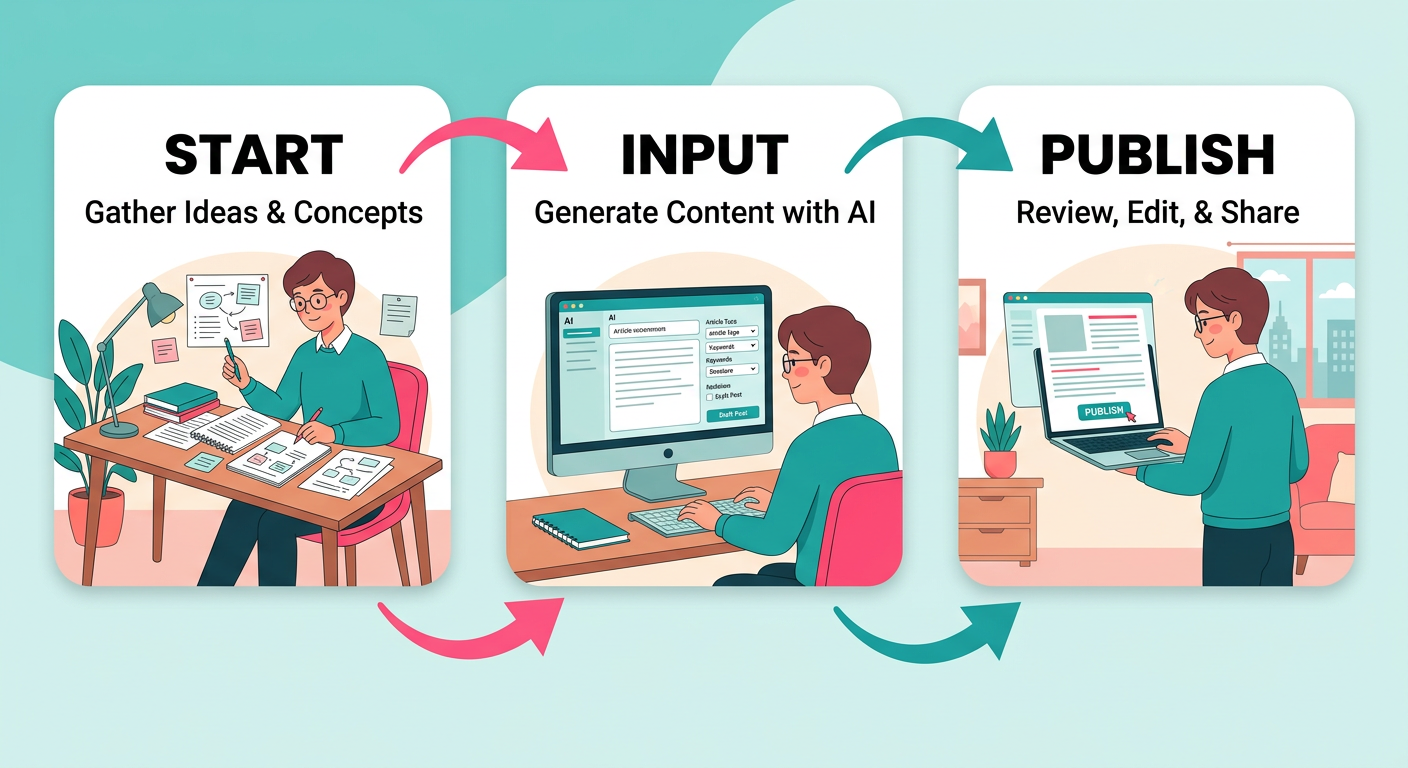
How to Use AI to Write a Blog Post in 3 Steps
The best AI blogging systems are simple. You do not need a 42-step content machine, five spreadsheets, and a dashboard nobody checks. You need a repeatable workflow that balances automation with human input.
Here is the simple version.
Step 1: Let AI Identify Better Keywords and Topics
Before AI writes anything, it should help decide what the article should be about.
This is where many bloggers go wrong. They ask AI to write a post about a broad topic like marketing, productivity, fitness, or business tips. That usually leads to generic content because the prompt is generic.
Instead, AI should help you find long-tail opportunities such as:
- How to automate blog posts without losing quality
- What is AI blog writing and how does it work?
- How often should a small business publish blog posts?
- Best way to turn customer questions into blog topics
- How to build topical authority with automated blogging
These topics are more specific, easier to answer, and often closer to what your audience is actually trying to solve.
A strong AI topic workflow should look at:
- Your website niche
- Your product or service
- Your target audience
- Pain points your customers mention often
- Topics your competitors cover poorly
- Questions buyers ask before making a decision
For example, if you run a WordPress site and struggle to publish weekly, AI might suggest posts around blog automation, editorial calendars, WordPress publishing workflows, and content planning. If you want a tool built specifically for that, the ContentBeast WordPress automation plugin is designed to help WordPress users automate topic planning, writing, formatting, and publishing.
What AI Should Produce Before Writing
Before drafting the article, AI should give you a short content brief. That brief might include:
- Primary topic
- Supporting subtopics
- Reader intent
- Suggested title
- Key questions to answer
- Internal page suggestions
- External authority sources
- Recommended article structure
- CTA angle
This is important because bad inputs create bad posts. A strong brief gives the article a purpose before the first sentence is written.
Step 2: Have AI Ask for Human Input First
This is the step most people skip, and it is the step that makes the biggest difference.
Before AI writes the post, it should ask you for original input. Not a huge essay. Not a formal interview. Just enough real context to make the article feel grounded and trustworthy.
AI should ask questions like:
- What is your personal experience with this topic?
- Do you have a customer example or mini case study?
- What mistakes do people usually make here?
- What is your strongest opinion on this topic?
- Do you have any internal data, results, or observations?
- What should readers avoid?
- What would you say if you were explaining this to a client?
Even three to five short answers can completely change the quality of the final article.
Here is an example.
A generic AI post might say: Businesses should publish consistently to improve organic traffic.
A better AI-assisted post might say: When we helped a small SaaS team move from one random post per month to three focused posts per week, their content library became easier to organize, sales had better educational assets to share, and the company stopped scrambling for last-minute article ideas.
See the difference? The second version has a point of view. It sounds like it came from someone who has actually done the work.
Why E-E-A-T Matters for AI Content
E-E-A-T stands for experience, expertise, authoritativeness, and trustworthiness. It is a useful way to think about quality, especially when AI is involved.
For AI-assisted blog posts, that means you should add signals like:
- A named author or brand voice
- First-hand examples
- Clear explanations
- Original screenshots or visuals when useful
- Real product knowledge
- Honest limitations
- Updated information
- Helpful links to deeper resources
- Practical next steps
If your post could appear on 500 other websites with only the company name changed, it is probably too generic.
Step 3: Let AI Write, Optimize, and Publish Automatically
Once AI has the topic, structure, and human input, it can finally write the article.
This is where automation becomes powerful. AI can draft the post, add headings, include FAQs, format bullet points, suggest metadata, place images, add internal links, and prepare the article for publishing.
For busy teams, that matters. Consistency is one of the hardest parts of blogging. Most businesses do not fail at content because they lack ideas. They fail because publishing becomes another task on an already crowded calendar.
A good AI publishing system can help you:
- Publish on a schedule
- Keep article formatting consistent
- Add relevant internal links
- Create SEO-friendly titles and descriptions
- Generate supporting images
- Add FAQs for long-tail visibility
- Keep your blog active without daily manual effort
That is the promise behind ContentBeast, which helps businesses automate blog writing and publishing while still focusing on useful, structured, human-sounding content.
Review Mode vs Full Autopilot
There are two common ways to use AI publishing.
First, you can use review mode. AI writes the article and saves it as a draft. You or your team review it, add final insight, approve links, and publish.
Second, you can use full autopilot. AI writes, formats, and publishes automatically based on your settings.
Both can work, but they are not equal for every topic.
Full autopilot can be useful for simple informational posts, evergreen definitions, basic how-to articles, and routine content where the risk is low. Review mode is better for opinion pieces, news-related content, technical tutorials, legal or financial topics, product comparisons, and anything tied closely to your brand reputation.
In other words, do not use the same automation level for every article.

When Full Autopilot Makes Sense
Full automation is convenient, and there are moments when it makes sense.
It can work well when you are creating:
- Glossary articles
- Basic definitions
- Simple tutorials
- FAQ-driven posts
- Low-risk evergreen content
- Content updates based on existing approved material
- Support-style educational articles
For example, a post explaining what an editorial calendar is may not require a founder interview. AI can define the concept, explain the benefits, give examples, and publish a useful article with light oversight.
But the more competitive or sensitive the topic, the more human input you should add.
When You Should Not Fully Automate
You should be careful with full autopilot when the article needs judgment, nuance, proof, or accountability.
That includes topics like:
- Breaking news
- Medical advice
- Legal guidance
- Financial recommendations
- Product reviews
- Industry predictions
- Thought leadership
- Complex technical tutorials
- Case studies
For these, AI can still help. It can outline, draft, organize, summarize, and polish. But a human should guide the angle, verify details, and add proof.
Full autopilot is convenient, but it will not win in the long run if it removes originality. The internet does not need more average content. Your audience needs better answers.
A Practical AI Blog Workflow You Can Copy
Here is a simple workflow you can use for your next post.
1. Start With a Specific Reader Problem
Do not start with the topic. Start with the pain.
Instead of writing about AI blogging, write for someone asking: How can I publish weekly blog posts without hiring a full-time writer?
That question gives your article direction.
2. Ask AI for Topic Angles
Prompt AI to suggest five long-tail article ideas based on your audience, product, and business goals. Then choose the one that is most useful and easiest to support with real experience.
3. Add Your Human Notes
Before drafting, write a few bullets from your perspective. Include mistakes, examples, opinions, customer stories, or lessons learned.
This does not need to be fancy. Messy notes are fine. AI can organize them.
4. Generate the Draft
Ask AI to turn the brief and your notes into a structured article with clear headings, short paragraphs, FAQs, and a practical conclusion.
5. Edit for Accuracy and Voice
Read the draft like a reader, not a content manager. Does it answer the question clearly? Does it sound like your brand? Is anything vague, exaggerated, or unsupported?
6. Publish Consistently
One great post is helpful. A consistent content engine is better. Choose a realistic cadence and stick with it.
If you want to compare the cost of doing this manually versus using automation, the ContentBeast pricing page gives a simple look at automated blogging plans.
How to Use AI to Write a Blog Post Without Sounding Generic
The fastest way to make AI content better is to stop accepting the first draft as final.
Look for phrases that feel vague, such as:
- In today’s digital landscape
- It is important to note
- Businesses must leverage
- Unlock your potential
- In conclusion
Replace those with specifics. Add examples. Use your own words. Say what you actually mean.
A useful AI-assisted article should feel like a smart person used a good tool, not like a tool tried to imitate a smart person.
You can also improve originality by adding:
- A short founder note
- A mini case study
- A customer question
- A personal lesson
- A before and after example
- A simple framework
- A checklist from your own process
If you care about AI answer visibility, structure matters too. Clear answers, concise sections, FAQs, and helpful formatting make your content easier for both people and AI tools to understand. For more on that angle, read this ContentBeast guide on AI visibility for blogs.
Common Mistakes to Avoid
Publishing Without Reviewing the Angle
AI can write a fluent article with a weak point. Always check whether the post has a clear promise and delivers on it.
Targeting Keywords That Are Too Broad
Broad topics are harder to rank for and easier to write poorly. Long-tail questions usually lead to better posts.
Skipping Human Examples
If you add nothing original, you are competing with every other AI-generated article on the same topic.
Over-Optimizing for Google
Yes, optimization matters. But readers can tell when an article was written only to rank. Serve the reader first.
Publishing Every Topic on Autopilot
Some posts deserve review. Some deserve expert input. Some should not be automated at all.
FAQ
Can AI write an entire blog post for me?
Yes, AI can write a full blog post, including the outline, headings, intro, body, FAQs, and conclusion. For best results, give it human input first so the final article includes original ideas and practical examples.
Is AI-written blog content bad for SEO?
AI-written content is not automatically bad. Low-quality, generic, unhelpful content is the problem. If your article is useful, accurate, original, and written for readers, AI can be part of a healthy blogging workflow.
Should I fully automate my blog?
You can automate parts of your blog, but you should not fully automate every post. Use autopilot for lower-risk informational content, and use human review for expert, timely, technical, or opinion-based articles.
What should I give AI before it writes?
Give AI your target topic, audience, goal, preferred tone, key points, examples, case studies, product details, and any data you want included. The better the input, the better the article.
How much human editing does an AI blog post need?
That depends on the topic. A simple FAQ post may need light editing, while a thought leadership post may need deeper review, added examples, fact checks, and stronger brand voice.
Can AI help with blog post ideas?
Absolutely. AI is great for turning customer questions, product use cases, and audience pain points into long-tail article ideas. It can also group related topics into clusters so your blog builds authority over time.
What is the best way to automate WordPress blogging?
The best approach is to use a workflow that handles topic planning, drafting, formatting, images, internal links, and publishing. A tool like ContentBeast for WordPress can help automate that process while keeping your content structured and consistent.
Build a Smarter Blog System With ContentBeast
If you are tired of staring at a blank page, publishing inconsistently, or spending too much on content, ContentBeast can help you build a simpler blogging system. It helps identify topics, create optimized articles, add images and links, and publish consistently across your site.
You still bring the expertise. ContentBeast helps turn that expertise into a repeatable growth engine.
Conclusion
Learning how to use AI to write a blog post is really about learning what to automate and what to protect. Let AI handle the speed, structure, formatting, and publishing workflow. Keep the strategy, judgment, examples, and lived experience human.
Full autopilot is convenient, but it is not the long-term advantage by itself. The real advantage is combining AI efficiency with original insight, so every post is faster to create and still worth reading.
