
How do you get blog traffic without social media? You build a repeatable organic growth system around helpful topics, low-competition keywords, internal links, email capture, partnerships, and content updates. If you're wondering how to get blog traffic without social media, the short answer is this: stop chasing daily attention and start building pages that compound.
That may sound slower at first, but it's a lot less chaotic. Social platforms reward constant posting, fast reactions, and trend timing. A blog rewards durable answers, clear structure, and consistency, which is better for small teams that don't want to spend every afternoon making short-form posts.
The goal isn't to ignore social forever. It's to make it optional. When your blog can attract readers through Google, Bing, newsletters, referrals, and direct visits, your business stops depending on one rented channel.
Quick Comparison: Traffic Channels That Don't Need Social
| Channel | Best For | Time Horizon | First Move |
|---|---|---|---|
| SEO content | Compounding visits | 3-12 months | Topic clusters |
| Email newsletter | Repeat readers | 1-3 months | Signup offer |
| Guest posting | Authority | 1-6 months | Partner list |
| Internal links | Page lift | 1-4 weeks | Link audit |
| Content updates | Quick wins | 2-8 weeks | Refresh old posts |
How to Get Blog Traffic Without Social Media Using SEO
SEO is the backbone of non-social blog growth because it captures people when they already want an answer. You don't have to interrupt them. You just need to be the clearest, most useful result for the problem they're trying to solve.
A helpful reminder: HubSpot reported that companies that blog have 55% more website visitors than companies that don't, according to its Marketing Stats, Charts & Graphs report. That doesn't mean every post wins. It means a consistent blog gives your site more useful doors for the right visitors to enter.
Build Topic Clusters Instead of Random Posts
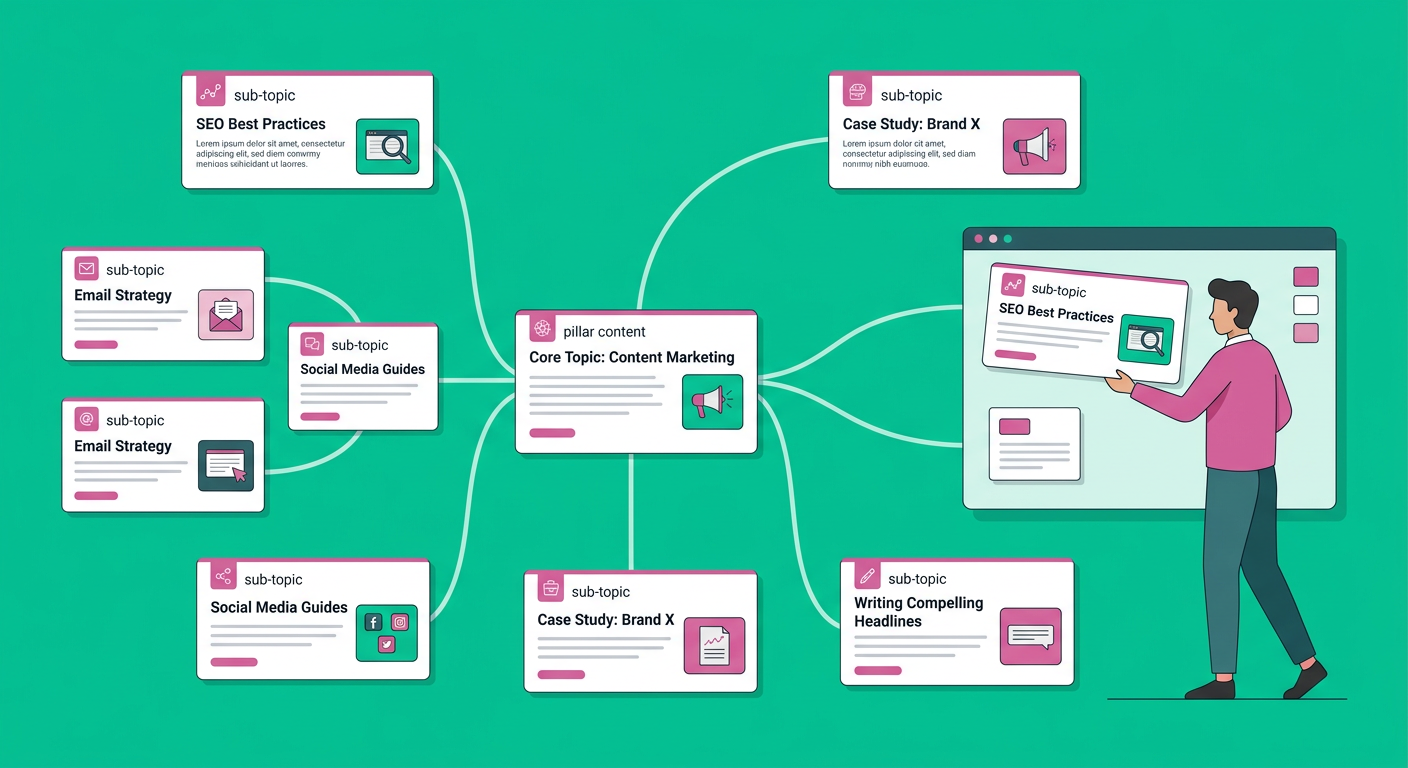
Random publishing feels productive, but it often creates a messy site. A topic cluster gives your blog a clear center of gravity. You create one broad pillar article, then support it with specific posts that answer narrower questions.
For example, a WordPress consultant might build a cluster around site speed. Supporting posts could cover image compression, plugin cleanup, hosting choices, Core Web Vitals, and caching mistakes. Each post links back to the main guide and to related supporting articles.
If your site already has older posts, start by cleaning what exists. This guide on how to do a content audit for free is a practical way to find pages worth updating, merging, or linking together.
Target Low-Competition Keywords First
Newer blogs usually lose when they aim at huge, broad phrases right away. Instead, target specific questions your audience asks when they're closer to taking action.
Think beyond obvious terms. A SaaS founder might target phrases like best onboarding email examples for B2B SaaS, how to reduce trial churn, or product demo follow-up template. These topics may attract fewer visitors than giant keywords, but the readers are often much more qualified.
Use a simple filter before choosing a topic:
- Does a real buyer care about this?
- Can you answer it better than the current top pages?
- Does it connect to a product, service, email list, or next step?
- Can you create two or three related articles later?
For a deeper workflow, read this guide on finding low-competition keywords with high traffic potential.
Create Content People Actually Bookmark
Here's the thing: traffic without retention is fragile. If someone lands on your article, skims for ten seconds, and leaves with no reason to return, you haven't built much of an asset.
Bookmark-worthy content gives readers something they can use later. Templates, checklists, pricing breakdowns, examples, scripts, calculators, and step-by-step workflows tend to earn repeat visits because they solve practical problems.
Turn Every Article Into a Useful Asset
Before you publish, ask what the reader can take with them. Could the article include a mini checklist? A comparison table? A decision tree? A copy-and-paste template?
For example, an article about blog planning shouldn't just say be consistent. It should show a weekly publishing rhythm, a topic backlog, and a simple calendar. This content calendar template for solo bloggers is a good example of turning advice into an action plan.
Answer the Main Question Fast
Readers don't owe you patience. Put the direct answer near the top, then expand with nuance, examples, and steps. This helps humans immediately, and it also makes your content easier for AI answer tools to understand.
A strong opening answer usually includes:
- A direct definition or recommendation
- The main reason it works
- Who it is best for
- What to do next
Use Internal Links Like a Growth System
Internal links are underrated because they feel small. But for a growing blog, they're one of the easiest ways to help readers discover more pages and understand your expertise.
Don't just link from new posts to old posts. Link from older posts to newer ones too. Your established pages may already have authority, and a few relevant links can help newer articles get discovered faster.
Build a Weekly Internal Link Habit
Set aside 20 minutes after publishing each post. Find three to five older pages that mention the same theme and add a natural link to the new article. Then add links from the new article back to the strongest related pages.
Use descriptive anchor text, not vague phrases. Instead of saying read more, use anchors like small business blog SEO tips, WordPress publishing workflow, or content refresh checklist.
If you want more basics to strengthen your pages, this guide on SEO optimization tips for small business blog growth covers keyword focus, intent, structure, and internal links in a practical way.
Grow With Email, Not Algorithms
Email is the simplest non-social traffic loop. Someone finds your blog once, joins your list, and you can bring them back when you publish something useful.
You don't need a huge newsletter to make this work. A list of 500 highly relevant subscribers can outperform thousands of passive followers because subscribers have already chosen to hear from you.
Offer a Specific Signup Incentive
Generic newsletter forms don't convert well. Give readers a reason to subscribe that matches the article they just read.
Examples include:
- A 30-day blog calendar
- A keyword planning worksheet
- A content audit checklist
- A buyer comparison template
- A weekly SEO teardown
Then send short, useful emails. Share one idea, one link, and one next step. Keep it simple enough that you can maintain it.
Get Referral Traffic Without Posting Daily
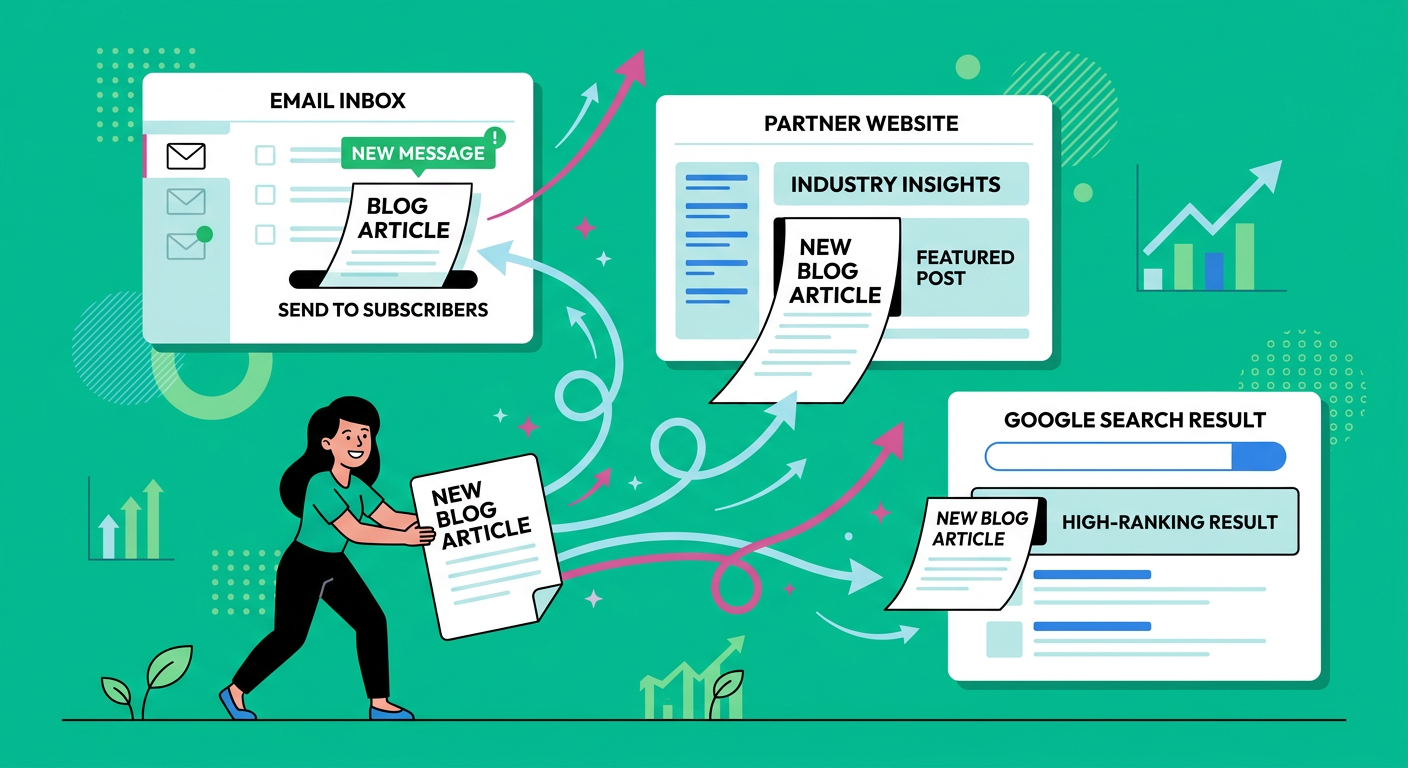
Referral traffic comes from other websites, newsletters, communities, podcasts, partner pages, resource lists, and directories. It works best when you create something worth pointing to.
Start with partners who already serve the same audience but don't directly compete with you. A WordPress designer could collaborate with hosting companies, copywriters, SEO consultants, plugin makers, or local business groups.
Pitch Useful Content, Not Yourself
A weak pitch says, please link to my blog. A strong pitch says, your readers may find this checklist useful because it solves a problem you already write about.
Create link-worthy assets like:
- Original examples
- Free templates
- Industry glossaries
- Step-by-step tutorials
- Comparison pages
- Data roundups
Content Marketing Institute's 2025 B2B report found that 58% of B2B marketers said content marketing helped increase sales and revenue, according to Content Marketing Institute. Referral partnerships work because good content can support trust before a sales conversation starts.
Refresh Old Posts Before Writing More
Publishing more isn't always the fastest path. Sometimes your best traffic opportunity is an old article sitting on page two, missing updated examples, stronger headings, or better internal links.
A refresh can include a new opening answer, better title, updated screenshots, clearer steps, more examples, and a stronger FAQ section. Don't just add words. Improve usefulness.
Use a Simple Refresh Checklist
Review each post for these items:
- Is the answer current?
- Does the title promise the right thing?
- Are the headings easy to scan?
- Are there examples from the current year?
- Does the post link to related pages?
- Is there a useful next step?
- Does the article match the reader's intent?
Refreshing three high-potential posts per month can be more effective than publishing ten thin articles nobody needed.
Publish Consistently Without Burning Out
Consistency matters, but daily publishing only works if you have a system. For most solo bloggers and small teams, one to three strong posts per week is more sustainable than a burst of ten posts followed by silence.
Create recurring content days. Day one might be keyword discovery. Day two might be outlining. Day three might be drafting. Day four might be editing and internal links. Day five might be publishing and email promotion.
Build a Progressive Content Strategy
A progressive strategy means each post makes the next post easier. You don't start from scratch every time. You build a library in stages.
Try this four-week rhythm:
- Week 1: Publish a pillar guide
- Week 2: Publish two supporting question posts
- Week 3: Publish a template or checklist
- Week 4: Refresh one older article and add internal links
Repeat that for one quarter and you'll have a more connected blog, not just a pile of posts.
Make Your Blog Easier for AI Answer Tools to Understand
AI answer platforms often favor clear, well-structured, entity-rich content. That doesn't mean writing for robots. It means making your expertise easier to parse.
Use concise definitions, clean headings, short answer blocks, comparison tables, FAQs, and examples. Mention relevant brands, tools, methods, and concepts naturally when they help the reader.
Structure Each Post for Clarity
A strong post usually includes:
- A direct answer near the top
- Logical H2 and H3 sections
- A quick comparison when useful
- Examples and edge cases
- Internal links to related pages
- FAQs that answer real follow-up questions
This structure helps readers move faster and helps your site demonstrate topical depth.
Build Your Blog Growth Engine Faster
If you want consistent blog traffic but don't have time to plan topics, write weekly posts, optimize pages, add images, and publish manually, ContentBeast can help you build that system faster. It creates and publishes SEO-friendly blog content while helping your site build topical authority over time.
Use it to turn your blog from a sporadic task into a repeatable growth channel. Then layer in your expertise, customer insights, and offers so every article has a clear job.
Frequently Asked Questions
Can You Really Grow a Blog Without Social Media?
Yes. Social media can help, but it isn't required. A blog can grow through SEO, email, referrals, partnerships, direct traffic, guest posts, content updates, and strong internal links.
How Long Does Blog Traffic Take Without Social Media?
Most blogs need three to six months to see early momentum and six to twelve months to see compounding growth. The timeline depends on your niche, authority, publishing consistency, content quality, and competition.
What Is the Best First Step for a New Blog?
Start with a focused topic cluster. Choose one core audience problem, publish a pillar guide, then add supporting articles that answer specific related questions.
How Many Blog Posts Do I Need Before Traffic Grows?
There is no magic number. Ten excellent, connected posts can outperform fifty scattered ones. Focus on coverage, usefulness, and internal links rather than volume alone.
Should I Still Build an Email List?
Absolutely. Email turns one-time visitors into repeat readers. Add a specific signup offer to your highest-value posts, then send helpful updates when you publish new content.
Do Backlinks Still Matter?
Yes, but they work best when your content deserves them. Create templates, original examples, tutorials, and useful resources that partners, newsletters, and other websites have a reason to mention.
What's the Biggest Mistake Bloggers Make?
The biggest mistake is publishing random posts with no clear reader intent or site structure. A connected content system usually beats a high-volume publishing sprint.
Conclusion
Learning how to get blog traffic without social media is really about building assets instead of chasing attention. SEO content, email, referrals, internal links, and regular updates give your blog more ways to grow without depending on platform algorithms.
Start small, but build deliberately. Pick one cluster, publish helpful answers, link your pages together, capture emails, and refresh what shows promise. Over time, your blog becomes less of a content chore and more of a compounding growth engine.
