

How do you write a blog post fast? You start with one clear reader question, build a simple outline, draft each section in focused blocks, then edit only after the full article exists. How to write a blog post fast is really about removing decisions before you write, not typing at superhuman speed.
If you’ve ever opened a blank WordPress draft and somehow spent 45 minutes choosing a title, you’re not alone. Most slow writing isn’t a writing problem. It’s a planning problem, a perfectionism problem, and sometimes a “why am I writing this again?” problem.
Here’s the good news, you don’t need a complicated content calendar, a huge team, or a full afternoon to publish something useful. You need a repeatable workflow that helps you move from idea to draft to publish without getting stuck at every step.
Introduction
Fast blogging matters because consistency compounds. One strong article can help, but a steady publishing habit is what builds topical authority, improves your site structure, and gives readers more reasons to trust your brand.
According to Orbit Media’s blogger data, writers have been spending more time on articles over the years, which makes sense. Posts are more competitive, readers expect better answers, and brands can’t get away with thin content anymore.
But speed and quality aren’t enemies. The goal isn’t to rush out sloppy articles. The goal is to create a system that makes quality easier to repeat.
Why Blog Posts Take So Long
Before you speed up, you need to know what’s slowing you down.
Most bloggers lose time in five places:
- Choosing a topic from scratch
- Gathering too many sources before writing
- Editing while drafting
- Trying to make every sentence perfect immediately
- Formatting after the post is already written
Here’s the thing, writing fast doesn’t mean skipping strategy. It means making strategic decisions earlier, then writing inside a clear frame.
A slow workflow looks like this: pick a vague idea, browse a bunch of tabs, write three paragraphs, rewrite the intro, question the angle, tweak the title, check competitors again, then give up for lunch.
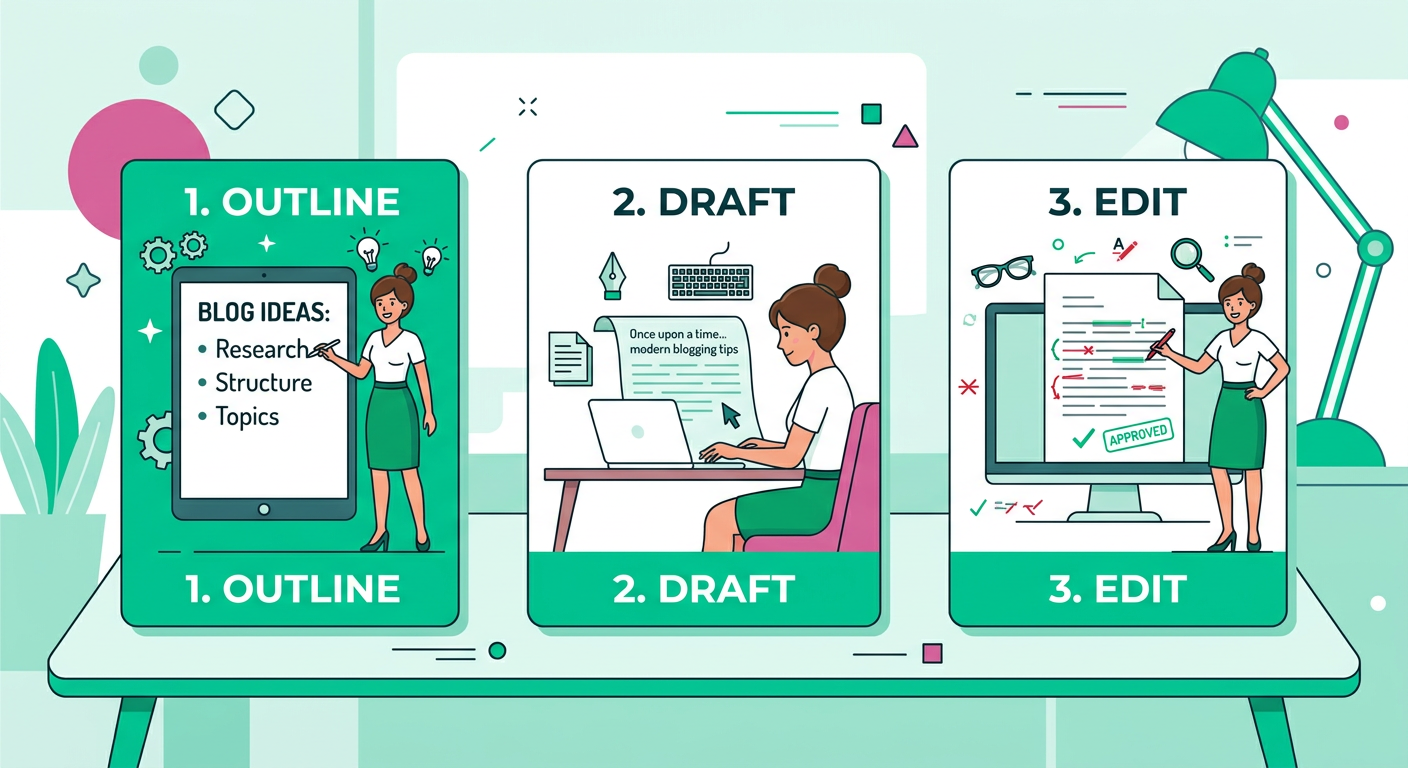
A fast workflow looks like this: define the reader question, list the answer, outline the sections, draft quickly, edit once, optimize once, publish.
That’s the difference.
How to Write a Blog Post Fast: The 80-Minute Workflow
This workflow is designed for early-stage bloggers, small businesses, SaaS founders, creators, and marketing teams that need to publish consistently without living inside a draft editor.
You can stretch it for deeper posts or compress it for short articles, but the sequence stays the same.
Minutes 0 to 10: Pick One Reader Problem
Don’t start with a broad topic like “blogging tips” or “SEO.” Start with a painful question your reader already has.
Good examples:
- How do I write faster without sounding generic?
- What should I include in a blog post outline?
- How often should a small business blog?
- How do I write when I don’t feel inspired?
A specific question gives your post a job. If the article has a job, the outline becomes easier. If the outline becomes easier, the draft gets faster.
For more topic help, this ContentBeast guide on what to write about when you have writer’s block is a useful next read.
Minutes 10 to 20: Write the Fast Answer First
Before the full intro, write a plain answer in two or three sentences.
Use this template:
“To solve this, do X, Y, and Z. The main mistake to avoid is A. By the end, you should be able to B.”
That answer becomes your north star. It keeps the article from drifting into random advice.
For this post, the fast answer is simple: choose one reader question, outline before drafting, write in focused blocks, and edit at the end.
Minutes 20 to 30: Build a Five-Part Outline
A fast blog post usually needs fewer sections than you think.
Use this structure:
- What the topic means
- Why it matters
- Step-by-step process
- Common mistakes
- Final recommendation
That’s enough for most how-to articles. You can add FAQs later, but don’t overload the outline before you draft.
If you’re building a broader content plan, pair this with how to build topical authority with a new blog. Fast posts work best when they support a bigger topic cluster.
Minutes 30 to 55: Draft Without Editing
This is where most writers sabotage themselves.
Drafting and editing are different jobs. Drafting creates the raw material. Editing improves it. When you do both at the same time, your brain keeps switching modes, and the post slows down.
Set a timer for 25 minutes and write messy. Use short paragraphs. Leave notes like “add example here” or “check stat later.” Keep moving.
Your first draft doesn’t need polish. It needs shape.
Minutes 55 to 70: Edit for Clarity, Not Perfection
Now read the draft from the reader’s point of view.
Ask:
- Does the intro answer the question quickly?
- Does each section move the reader forward?
- Are there any vague claims?
- Can I add one practical example?
- Can I cut anything that doesn’t help?
Don’t spend 20 minutes debating one sentence. If a sentence is awkward, simplify it. If a section is weak, add a concrete example. If a paragraph repeats another paragraph, delete it.
Minutes 70 to 80: Optimize and Publish
Your final pass should cover the basics:
- Clear title
- Clean URL slug
- Helpful meta description
- Descriptive headings
- Internal links
- External links where useful
- Image alt text
- CTA near the end
- FAQ section if the topic deserves it
HubSpot’s 2025 State of Blogging Report highlights that blogging remains tied to goals like lead generation and brand awareness. That’s why your post shouldn’t just exist, it should guide readers toward the next useful step.
How to Write a Blog Post Fast With AI Without Sounding Generic
AI can speed up blogging, but only if you use it as a workflow assistant, not as a replacement for your judgment.
Use AI for:
- Topic discovery
- Outline options
- Draft structure
- Headline variations
- FAQ ideas
- Meta descriptions
- Repurposing sections
Keep human input for:
- Opinions
- Examples
- Product details
- Customer stories
- Final fact checks
- Brand voice
- Strong recommendations
If you want a deeper breakdown, read how to use AI to write a blog post. The key idea is simple, let automation handle repeatable steps while you add the insight that makes the piece worth reading.
A Fast AI Prompt You Can Use
Try this:
“Create a blog post outline for a reader who wants to solve this problem: [problem]. Include a short answer, five main sections, common mistakes, practical examples, and FAQs. Keep the tone clear, friendly, and useful.”
Then add your own notes before drafting:
- What have you seen work?
- What do beginners usually get wrong?
- What would you tell a client?
- What’s your strongest opinion?
Those notes make the article feel real.
The Fast Blog Post Template
Use this template when you need to publish quickly.
Opening Answer
Start with the target question, then answer it in two or three sentences. Don’t make readers wait.
Example:
“How do you write a blog post fast? Start with one specific question, outline the answer before drafting, write the body first, then edit once at the end.”
Introduction
Expand on the problem. Show the reader you understand the pain. Keep it short.
Main Steps
Break the process into clear actions. Each section should answer one part of the reader’s question.
Examples
Examples create trust. Even a small example makes the advice easier to apply.
Mistakes to Avoid
This section is great for long-tail visibility and reader retention. People want to know what not to do.
FAQ
FAQs help you answer related questions without bloating the main article. They’re also useful for AI answer tools because they make your content easier to understand.
Conclusion and Next Step
Summarize the core takeaway, then tell readers what to do next.
Common Mistakes That Slow Bloggers Down
Starting With the Title Instead of the Problem
A title matters, but it’s not always the best starting point. If you get stuck, write the reader problem first, then create the title after the outline.
Collecting Too Much Information
Source checking matters, but endless prep can become procrastination. Gather enough to be accurate, then start writing.
Editing the First Paragraph for Too Long
The intro is easier to improve after the draft exists. Write a basic opening, finish the article, then come back.
Trying to Cover Everything
Fast posts need focus. If you discover three extra angles, save them as future articles.
Skipping the CTA
If someone reads your full article, they’re engaged. Give them a clear next step, whether that’s reading another guide, joining your list, booking a demo, or trying your product.
A Simple Publishing Cadence for Early-Stage Blogs
For a new blog, consistency beats intensity.
Instead of trying to publish daily for two weeks and then disappearing, choose a cadence you can sustain:
- One article per week if you’re solo
- Two articles per week if you have a repeatable system
- Three or more per week if you use automation and review workflows
Day 6 of an early-stage content strategy is a great time to build your first repeatable writing system. You’ve likely learned your audience, chosen a few topics, and started seeing which questions deserve full posts.
Now the goal is rhythm. Fast writing helps you create that rhythm without draining your whole week.
FAQ
How long should it take to write a blog post fast?
A focused how-to post can often be drafted in 60 to 90 minutes if the topic is familiar and the outline is clear. More technical or data-heavy posts may take longer because they need deeper validation.
Can I write a quality blog post in one hour?
Yes, if the article is narrow, practical, and based on knowledge you already have. A one-hour post should answer one specific question, not try to be the ultimate guide to a huge topic.
What is the fastest way to start a blog post?
Start with the reader’s question and answer it plainly. Once you have the answer, build the post around explaining, proving, and applying that answer.
Should I write the intro first or last?
Write a rough intro first, but polish it last. Your strongest opening usually becomes obvious after you’ve written the full article.
Is AI good for writing blog posts faster?
Yes, AI can help with outlines, draft structure, FAQs, and editing suggestions. The best results still come from adding human examples, product knowledge, and a clear point of view.
How do I write faster without lowering quality?
Separate planning, drafting, and editing. When each step has its own time block, you move faster and make better decisions.
How many words should a fast blog post be?
A fast post can be 800 to 1,500 words if it fully answers the question. Length matters less than usefulness, clarity, and whether the reader gets what they came for.
Build a Faster Blogging System With ContentBeast
If blogging feels too slow, inconsistent, or expensive, ContentBeast can help you build a simpler system for topic planning, writing, optimization, images, links, and publishing.
You bring the expertise. ContentBeast helps convert it into consistent blog content that supports Google rankings, AI answer visibility, and long-term organic growth.
Conclusion
Learning how to write a blog post fast isn’t about cutting corners. It’s about cutting friction.
Start with one reader question. Write the answer first. Outline before drafting. Draft before editing. Then optimize once and publish.
That simple workflow can change your entire relationship with blogging. Instead of treating every article like a giant creative project, you create a repeatable system that helps you show up, help readers, and build authority one useful post at a time.
